
Zen IPTV not working? Check whether the failure starts with your Zen account, the supplied content source or the player itself. Then apply the correction that matches the message instead of buying another subscription or rebuilding your setup.
TL;DR: Zen documents fixes for error 4003, sources missing containerExtension and a grey screen that blocks startup. Update to a supported release containing the relevant correction, preserve your account details and compare the same source in another player when the problem remains.
Why is Zen IPTV not working?
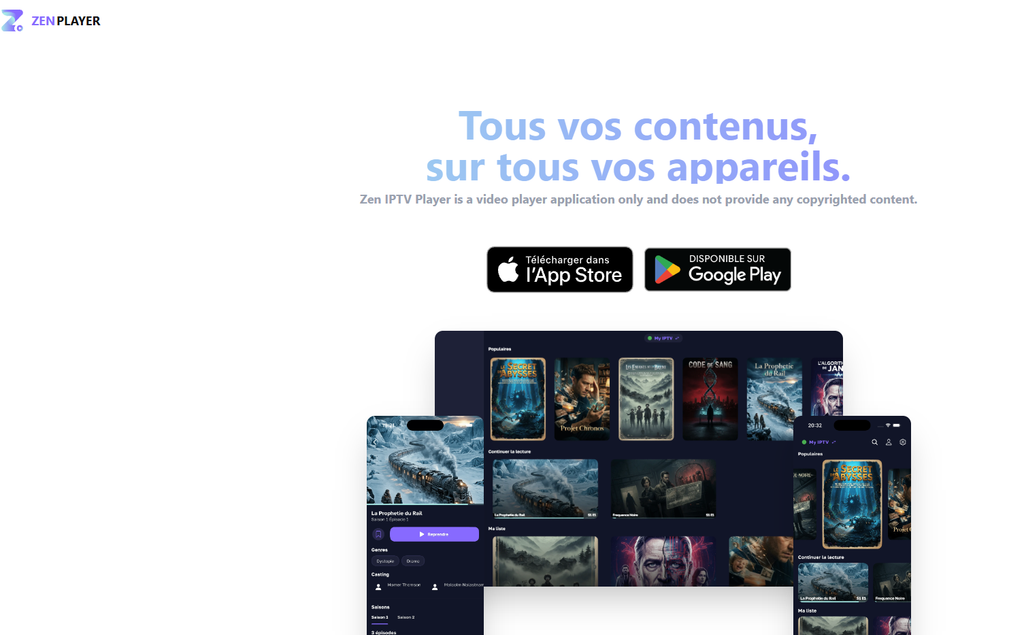
Zen can fail during account login, source import, catalogue loading or playback. We start with the failure stage because those problems need different actions.
Zen’s official website separates the player from the content service. Your Zen account, Zen Access purchase and provider subscription are three different things.
| What fails | What to investigate first |
|---|---|
| Signing into Zen | Zen account and authentication |
| Adding a source | Supplied details and source-response handling |
| Loading a catalogue | Source availability and the installed app |
| Opening one channel or title | That media source and playback |
| Finding favourites or saved progress | Zen Access entitlement, account and profile |
| Loading upcoming programmes | Guide data and its display |
Save the exact message, device and app version before deleting anything. Our IPTV troubleshooting guide covers wider account and connection checks when several players fail.
Is Zen IPTV the same as my subscription provider?
No: Zen IPTV Player supplies the application, not your channels. Contact the content provider about its account and sources, and Zen support about a reproducible player failure.
Check the app identity before following instructions. The application covered here uses Android package app.zeniptv.mobile, Apple ID 6458223193 and the official website zeniptv.app.
How do I fix Zen IPTV not working on Apple TV or iPhone?
Check the installed version against Zen’s documented fixes before reinstalling. We favour a targeted update over erasing a configuration that may still be correct.
| Documented problem | Correction identified by Zen |
|---|---|
| Grey screen blocks startup when the active source has a problem | Apple version 1.7.6 |
| Certain media fail with error code 4003 | Apple version 1.7.1 |
A source fails because containerExtension is missing | Apple version 1.7.1 |
| Incorrect film or series information | Metadata corrections in Apple version 1.7.1 |
These version numbers identify published corrections, not the newest release on every device. Install the supported update offered for your application rather than searching for an old package.
What should I do about the grey screen?
Install a release containing the startup correction, then reopen the same source. Zen’s release note specifically links the grey-screen blocker to a problem with the active source.
Check source playback after the app opens. Restoring access to the interface and restoring the provider’s content are separate results.
What if Apple TV says the app is incompatible?
Check the store listing on that Apple TV before changing anything else. The French listing retrieved for this guide specifies tvOS 17.6, while the British listing specifies tvOS 17.0.
Use the requirement shown for the product available on your device. We would not buy another content subscription to solve an operating-system compatibility message.
How do I fix “Source IPTV invalide” in Zen?
Preserve the supplied details and test the unchanged source before replacing it. We treat “invalid source” as the start of an investigation, not proof that the password is wrong.
A JustUseApp report dated 21 November 2025 quotes a String/int/index error while accessing a source. Another dated 23 February 2026 includes NSErrorClientException and an inability to connect to the server.
Use this five-step comparison:
- Save the complete error and the original source details privately.
- Note whether it appears during source addition, catalogue loading or playback.
- Close the original playback session.
- Test the unchanged source in another compatible player.
- Send the result to the provider or Zen support, according to where the failure occurs.
If the same source works elsewhere, report the Zen version and exact import method. If it fails in both players, ask the provider to verify the account and supplied endpoint.
What does the String/int/index message mean for my next step?
Send the complete message to support and keep the comparison result. The retrieved report does not identify one setting that permanently repairs every case.
Do not manually edit a provider’s data response. Zen separately documents a fix for a missing containerExtension field, but that correction should not be presented as the cure for every source-import exception.
Should I delete and add the playlist again?
Check whether the source still exists in Settings before reimporting it. A missing main-screen entry and a deleted account are different situations.
Keep the original details until replacement access has been confirmed. A second import can make the source list harder to understand without addressing the original failure.
How do I fix Zen error 4003, 502 or avformat?
Match the exact message to its documented failure. We keep these errors separate because similar-looking numbers can point to very different actions.
| Message | Recommended next action |
|---|---|
| Error code 4003 | Install a supported release containing Zen’s 1.7.1 playback correction, then replay the affected item |
| Code erreur 502 | Record the failure stage and ask the relevant operator to investigate the affected endpoint |
avformat can’t open… | Compare that exact channel or title in another player |
AuthException with unexpected-character text | Capture the full message and identify whether Zen login or source loading failed |
| “Bad state no element” | Capture the original notification and a repeatable import example before resetting |
| Reported codes 400 or 500 | Preserve the full notification; do not substitute the documented 4003 fix |
Zen’s Apple release notes provide a specific correction for 4003. The 400 and 500 references came from an aggregator summary rather than original screenshots, so keep the numbers exactly as displayed on your device.
What should I send when only one title fails?
Send the title, time, device, app version and result in another player. That gives support a useful example instead of the general description “everything is broken.”
Keep passwords and complete credential-bearing playlist links out of public messages. Start with the error screenshot and content name.
Why is Zen IPTV not working during downloads?
On Android, check for the update containing the redesigned download manager. The official Google Play announcement dated 3 October 2026 describes improvements to reliability and stability, with pause/resume controls and progress notifications.
Test one affected download after updating. Watch its progress, pause and resume it, then open the completed item.
Can I download an entire season at once?
Check the controls available in your installed release before planning a bulk download. The research established user requests for a season-level button, not a confirmed universal feature.
Use the workflow your version provides. We would verify one usable episode before filling the device with a large queue.
Does an old review prove downloads are unavailable?
No: read feature complaints against their dates. An Apple reviewer requested offline downloading on 9 January 2025, while the Android listing of October 2026 describes an active download manager.
The current platform listing is the better starting point for today’s setup.
Why does Zen show a black screen or restart my video?
Compare the same item in another player and record whether the failure affects one title or the whole source. We would keep a working alternative while the original player problem is investigated.
The research includes black-screen, interrupted-playback and timeline complaints, but no single correction covers them all. Preserve the smallest repeatable example.
| Behaviour | Useful comparison |
|---|---|
| One video stays black | Same title elsewhere |
| Every item in one source fails | Same account elsewhere |
| Seeking returns to the beginning | Same title, same seek action, another player |
| Playback stops during live sport | Exact channel and interruption time |
| Metadata is wrong but video plays | Source information versus TMDB information |
What fixes playback returning to the beginning?
Check the active account, profile and Zen Access entitlement when saved progress is missing. Zen officially places playback-position saving among its Access features.
Treat seeking that jumps to the start as a separate playback complaint. The older correction for a button displaying “Resume” instead of “Start” repairs a label, not a documented timeline defect.
How do I fix incorrect film images or descriptions?
Update to a release containing Zen’s metadata corrections, then inspect the source’s metadata controls. The documented changes include source-versus-TMDB priority and improved handling of film and series information.
Choose the information source that fits the affected entry. Do not remove a working content account merely because a poster or title is wrong.
If you want to compare a separate content account, request our free 24-hour IPTV trial. You receive temporary access on one compatible device with no card required; confirm your intended device and player with us before activation.
Why are Zen favourites, profiles or programme listings missing?
Check the account and paid-feature entitlement before treating missing personal settings as a playback failure. We separate personalised features from provider content.
Zen’s official listings place multiple profiles, favourites and saved playback progress within Zen Access. Those features are described as available across devices using the same Zen account.
What should I check on a second device?
Sign into the same Zen account, choose the same viewing profile and confirm Access is active. Then compare one favourite or saved title rather than the entire library at once.
Record whether the item exists on the original device. That distinguishes a missing original entry from a cross-device issue.
Why does the EPG show only the current programme?
Ask the provider whether upcoming listings exist for that channel, then compare the guide elsewhere. We would verify the available data before repeatedly refreshing it.
If upcoming programmes appear in another player, report a Zen display or loading case. If they are absent in both, ask the provider to check the guide source.
Why is Apple TV French while my phone is English?
Check the device language and confirm the installed Zen release supports the language you want. Reviews describe different behaviour between iPhone and tvOS, so report the platform difference precisely.
Do not change the content account to repair interface text. The language of the application and the language tracks supplied with a film are separate controls.
How much does Zen Access cost, and what buying mistakes should I avoid?
Compare the exact purchase screen before paying. We would resolve the app fault first and buy Access for its features, not as a supposed repair to every source error.
The British App Store listing displays:
| Zen Access product | Listed price | Twelve-month spending at that rate |
|---|---|---|
| Monthly | £1.99 | £23.88 |
| Yearly | £14.99 | £14.99 |
| Lifetime product | £22.99 | £22.99 |
| Another Lifetime product | £29.99 | £29.99 |
The public page lists more than one Lifetime product without explaining eligibility. Confirm the offer presented to your account rather than assuming the lowest entry is available.
What is the three-year cost?
At unchanged prices, monthly payments total £71.64 over three years, compared with £44.97 for three annual payments. The two listed Lifetime scenarios cost £22.99 or £29.99.
Those figures compare software purchases only. Your content subscription remains a separate expense.
Common mistakes: what can they cost?
Keep the player, Access purchase and content account separate. That avoids paying the wrong business for the wrong problem.
| Mistake | Concrete cost or consequence |
|---|---|
| Paying monthly for Access for three years without reviewing the annual option | £71.64 versus £44.97 at the listed prices |
| Buying a new £55 content plan to repair a player control | £55 committed without addressing the player fault |
| Selecting a Lifetime price from an old screenshot | Your actual purchase screen may show a different product |
| Renewing content when favourites are missing | The missing feature may concern Zen Access instead |
| Deleting source details before recording the error | Extra setup work and a lost reproduction example |
The official EULA was unavailable during research, so obtain the applicable refund and transfer terms before paying. We do not advertise an assumed Zen money-back guarantee.
Should I update Zen, change players or switch IPTV providers?
Choose the action your comparison supports. Our verdict is to keep a working content account when the failure is confined to Zen and test alternatives when the provider’s access or sources remain unresolved.
| Your situation | Best next move |
|---|---|
| Grey-screen startup defect | Install a supported release containing the documented correction |
Error 4003 or missing containerExtension case | Check the relevant player correction |
| Same source works elsewhere | Use that player while investigating Zen |
| Source fails across players | Ask the content provider to verify access and availability |
| Favourites or progress missing | Check Zen account, profile and Access |
| Considering UNITED KINGDOM IPTV | Confirm compatibility and start with the trial |
Our published plans cost £9.99 for one month, £37 for six months and £55 for twelve months. Each standard plan includes one active connection and is prepaid without automatic renewal.
Which paid plan should I choose after testing?
Choose one month for the smaller initial commitment, or the annual plan after checking the setup and purchase terms. We put a working configuration before a longer payment.
Compare our prepaid IPTV subscription plans to see the current durations and connection allowance. Our IPTV subscription cost breakdown explains the upfront payment separately from its monthly equivalent.
Using another IPTV player or service? Follow our IPTV Smarters troubleshooting guide, check XCIPTV errors and playback fixes, or explore our guides for Hot IPTV, GSE Smart IPTV and TREX IPTV. Choose the guide that matches your setup before resetting the app or replacing your subscription.
Zen IPTV not working FAQs
Start with the exact message, installed release and failure stage. These answers point you towards the responsible account, source or application.
Why is Zen IPTV not working?
Identify whether the failure occurs during Zen login, source import, catalogue loading or playback. Apply the matching correction and compare the unchanged source in another compatible player.
How do I fix Zen IPTV error 4003?
Install a supported release containing the correction documented in Apple version 1.7.1. Replay the same affected item to check the result.
Why does Zen open to a grey screen?
Zen documents a startup defect caused by a problem with the active source, corrected in Apple version 1.7.6. Update, reopen the app and test the source separately.
Does Zen Access include IPTV channels?
No: Access pays for application features such as profiles, favourites and saved progress. Content access comes from a separate provider.
Why are my favourites missing on another device?
Check the same Zen account, the intended profile and the Access entitlement. Confirm that the favourite exists on the original device before investigating synchronisation.
Will another IPTV subscription fix Zen errors?
A replacement account addresses a different content service, not a documented player defect. Test the existing source elsewhere before buying again.
How do I report a Zen problem?
Send the full error, device, operating system, app version and comparison result through Zen’s official support route. Keep passwords and full playlist links out of public reports.