
XCIPTV not working? Check your installed build and identify whether the failure happens at login, during content loading or after playback begins. Several XCIPTV defects have documented fixes, including large EPG downloads, catch-up crashes and incorrect expiry display.
TL;DR: Match the fix to the symptom. Correct the supplied login for authentication failures, ask the provider to inspect HLS/TS configuration for “Source Type Error!”, and check for the relevant developer fix before repeatedly clearing data.
Why is XCIPTV not working?
XCIPTV can fail at the account, source, player or local-storage stage. We start with that distinction because a router restart cannot repair a broken catch-up button, and another subscription cannot repair a recording destination.
Use this symptom map before changing settings:
| Symptom | Best first action |
|---|---|
| Login rejected | Verify login type, server address and account status |
| “Source Type Error!” | Ask the provider to check stream availability and HLS/TS configuration |
| Black screen or missing sound | Compare the same content in ExoPlayer and VLC |
| Large EPG download fails | Check for the fix documented in build 3005 |
| Catch-up crashes when seeking | Check for the build 3005 catch-up fixes |
| Favourites menu freezes | Test the favourites tiles instead of the category menu |
| Recording fails | Inspect storage selection, schedule status and account allowance |
| Backup will not restore | Use the original account and backup PIN |
Which XCIPTV app should I check?
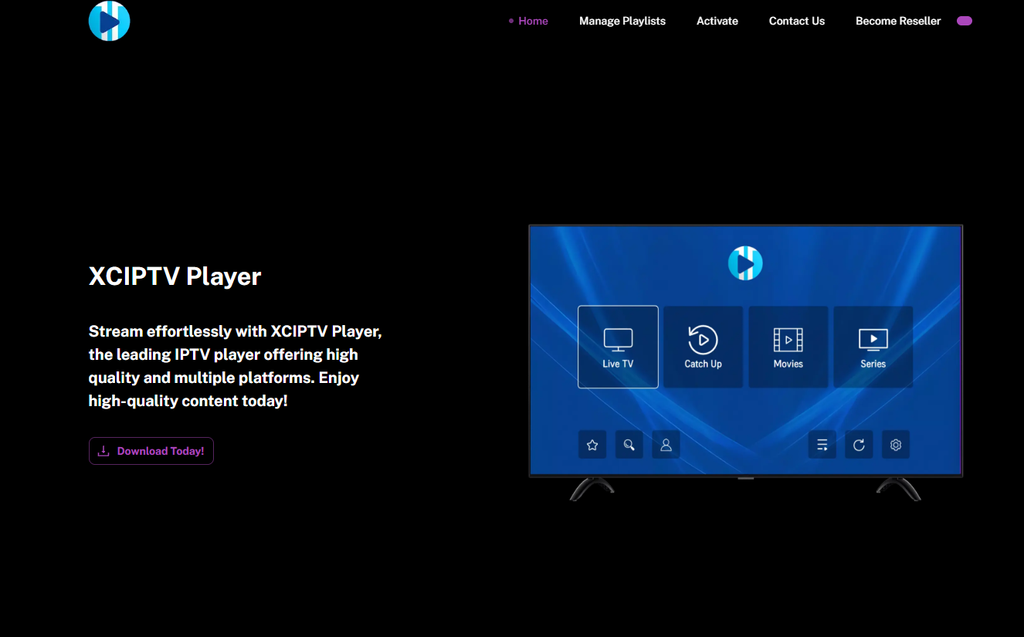
Confirm the developer, version and build before installing a replacement. OTTRUN publishes XCIPTV PLAYER, and its documentation also uses the name OTR Player.
Provider-branded versions can use the same underlying software with different settings. Ask the provider about its supported update rather than replacing a branded installation with an unrelated APK.
Save your credentials and configuration before reinstalling. Our IPTV troubleshooting guide covers wider device and connection checks when several players fail.
Does the same source also fail in Zen IPTV? Check our Zen IPTV error and playback guide for source-import exceptions, code 4003 and playback comparisons before changing your account details.
Comparing the same account in OTT Navigator? Check our OTT Navigator error guide for 401 and 403 access denials, codec switching and EPG mapping, so you can tell whether the fault sits with the player or the account.
How do I fix XCIPTV login failed or login not recognised?
Match the login method to the details supplied by your provider, then verify the account. We would check those fields before clearing an otherwise functioning application.
| What you received | Login method |
|---|---|
| Server address, username and password | Xtream-compatible login |
| Complete M3U playlist link | M3U URL |
| EZServer account details | The supported EZServer option |
Copy the supplied address exactly, including its scheme and port where provided. Do not paste a complete M3U link into a field intended for the server address.
What if the credentials are correct?
Test the unchanged account in another compatible player, with the original stream closed. This separates an XCIPTV-specific failure from a problem shared by the account or service.
Ask the provider to confirm activation, expiry and the current host if both players reject access. If the same account works elsewhere, record the failing XCIPTV build and report that comparison.
What if XCIPTV shows the wrong expiry date?
Verify the actual end date with the provider before renewing. OTTRUN documents a home-screen expiry-display correction in version 7.0 build 2000.
An old display value and an expired account are different problems. Follow our IPTV subscription expired guide when the provider confirms that access has ended.
How do I fix XCIPTV “Source Type Error!”?
Ask the provider to verify the stream and its declared format. OTTRUN identifies three causes: the streaming URL is down, HLS is declared as TS, or TS is declared as HLS.
This error deserves a source check before another reinstall. A player cannot make an unavailable stream respond or correct a provider panel you do not control.
What should I send the provider?
Send the exact channel or title, the error wording and whether another source plays. Ask this specific question:
XCIPTV displays “Source Type Error!” on this stream. Please check that the source is available and that the panel’s HLS/TS setting matches the actual stream.
Keep the full credential-bearing URL private. A screenshot of the error and the source name is usually safer for an initial report.
Should I switch between HLS and MPEGTS?
Change the stream-type selection only when your build exposes it and the provider confirms which format the source supports. Save the original setting first.
Do not set every account to MPEGTS or HLS as a blanket fix. The developer’s explanation is a format mismatch, so the correct choice is the one matching the supplied source.
How do I fix XCIPTV black screen, buffering or no sound?
Compare the same content in the two built-in engines before replacing the account. XCIPTV includes ExoPlayer and VLC, so you do not need to install a separate VLC application for this comparison.
Open the available player-selection controls, note the current choice and test the other engine. Menu names vary across branded builds.
Use this order:
- Select one affected channel or title.
- Note whether it has picture, sound or neither.
- Switch its playback engine.
- Reopen the same content.
- Compare another title before keeping the change.
Keep the engine that repeatedly plays the affected content correctly. If both fail, investigate the source and connection rather than continuing to switch controls.
What if every channel buffers?
Compare another compatible player on the same account and connection. Then compare available connection options while keeping the channel unchanged.
Change one variable per test. Switching the app, Wi-Fi, source and buffer setting together leaves you with no clear explanation of what helped.
How do I fix audio out of sync?
Check for the correction documented in OTTRUN’s build 907 notes before searching for hidden cache values. The developer says it increased VLC file and network caching internally to address audio synchronisation.
Those internal values are not user-adjustable. Use supported player controls and compare ExoPlayer with VLC instead of copying desktop VLC instructions into XCIPTV.
What about subtitles or audio-track controls?
Check the build when track controls behave incorrectly. OTTRUN’s historical release notes document VLC subtitle on/off problems and remote-navigation defects in track selection.
Report the exact control that fails. “No subtitle track exists” is different from “the available track cannot be selected.”
If you need to compare a new content account, request our free 24-hour IPTV trial. You receive temporary access on one compatible device to test playback; it does not repair defects in the installed player.
Why is the XCIPTV EPG not downloading?
Check the installed build before repeatedly deleting guide data. OTTRUN documents an EPG download fix in build 2000 and a large-file download fix in build 3005.
Record the full build number, not just “version 7.0.” Several different releases share that version label.
How do I check whether the fix is installed?
Open the app-information area and record the version and build. Compare that information with the update supported by the developer or provider.
The public Google Play listing shows an update date of 12 August 2026, while the build 3005 notes were edited on 26 August. Ask which fixes your installation contains instead of assuming any available update includes them all.
What if the guide downloads but channels are blank?
Separate download failure from absent or mismatched listings. Confirm that the provider supplies current guide data for the affected channels.
OTTRUN’s older build 907 notes also identify empty final rows in the TV guide. A display defect in the final one or two rows is different from an entirely empty source.
Why does background EPG refresh not run?
Ask whether the provider has enabled the supported background-refresh function. Build 3005 documents automatic EPG refresh as provider-enabled behaviour.
Use the available manual update controls while investigating. A build that supports background updates still needs the relevant configuration and accessible source data.
How do I fix XCIPTV catch-up crashing or not resuming?
Check for the catch-up fixes documented in build 3005. That release specifically addresses crashes during Fast Forward or Rewind, a Play button that fails to resume and incorrect seek boundaries.
| Catch-up problem | Documented correction |
|---|---|
| Fast Forward or Rewind crashes the app | Fix for NullPointerException on TrackSelectionParameters |
| Play fails after pausing | Resume-control fix |
| Play and pause icons overlap | Icon-display fix |
| Seeking moves past the recording’s end | End-position boundary fix |
| Rewind moves below the start | Start-position boundary fix |
How should I verify the repair?
Repeat the original action on the same available catch-up programme after updating. Pause, resume, seek forward and rewind near the start.
Check that the provider actually supplies catch-up for the channel first. An update to the controls does not create an archive the service does not offer.
How do I fix XCIPTV crashing, freezing or losing favourites?
Back up a working configuration before resetting the app, then investigate the action that triggers the failure. We would not erase favourites to troubleshoot a menu path with a known workaround.
OTTRUN documents a Google Play crash correction in build 2000. A separate Google Play review dated 30 December 2025 reports crashes that persisted after reinstallation, showing why another reinstall is not a complete diagnosis.
Favourites freezes: use the tiles as a workaround
Browse favourites through the tile section if the category menu freezes. A reviewer dated 13 July 2026 reports that the category route returns to the player menu while the tiles continue to work.
Preserve that working route and report the app build. Do not delete and rebuild the favourites list before testing it.
Remote skips several channel groups: avoid rebuilding the account
Record the navigation sequence and test direct channel selection. Reddit users report skipped groups, but no confirmed universal setting was found for that behaviour.
Use a working navigation route or another compatible player while the fault is investigated. Changing the content account is not an established repair for remote focus.
Firestick will not load: clear cache before data
Use Fire TV’s application controls for a local startup or freezing problem. Amazon documents Settings → Applications → Manage Installed Applications → select the app → Clear Cache.
Save account details before selecting Clear Data. Cache clearing and resetting the application are separate operations.
Backup will not restore: use the original account
Restore with the same account used for the backup and the existing backup PIN. OTTRUN states that restoring with another account fails.
Open Settings → Backup & Restore → Restore From Cloud where available. Do not create a fresh cloud backup on the replacement device first: the developer warns that it overwrites the existing one.
What does the backup actually contain?
Expect saved preferences and favourites, not a replacement for downloading the catalogue. OTTRUN lists favourites, resume information, watched status, account lists and related settings, but excludes stream lists and EPG.
Reloading content after restoration is therefore a separate step. A missing guide immediately after restore does not prove that the backup failed.
Can I reset a forgotten backup PIN?
Ask OTTRUN about removing the old backup using the code shown in the backup window. Its documentation says the PIN cannot be reset because it forms part of the backup encryption.
Removing an old backup is not the same as decrypting and recovering it. Keep the PIN safely before migrating devices.
How do I fix XCIPTV recording failed or “passed/failed”?
Test the recording destination and schedule before formatting storage or buying another subscription. OTTRUN provides separate controls for storage location, failed schedules and completed recordings.
Use a short diagnostic recording first:
- Open Record.
- Select Select Location.
- Choose an available destination you can identify.
- Confirm sufficient free space.
- Add a short test schedule.
- Inspect My Schedule and My Recording after it finishes.
- Open the saved file rather than relying only on a completion indicator.
Use a three-minute test when investigating a complaint that recording stops after about two minutes. That duration is a diagnostic choice, not a promised repair.
What if internal storage works but external storage fails?
Keep internal storage as the working destination while investigating the external drive. The comparison narrows the problem without erasing the drive.
A historical Husham forum report describes four successful recordings after an SD card was adopted as internal storage. That operation is device-specific and erases data during formatting; we would not use it before backing up files and checking the device manufacturer’s instructions.
Why does VOD record while live TV fails?
Report the content-type difference and ask the provider to verify live-stream access and account limits. A Reddit user describes this exact split, but no confirmed universal repair was retrieved.
Test recording without additional viewing sessions first. Then ask how the provider counts recording alongside live playback.
Does multi-screen support include extra connections?
The player’s layout does not increase the subscription allowance. Our standard UNITED KINGDOM IPTV plans include one active connection.
Ask about simultaneous viewing and recording requirements before paying. Avoid assuming that four visible player panels mean four authorised streams.
Should I change players or switch IPTV providers?
Change the component your tests identify. We would keep a working account when only a player control fails, and test another service when account or source problems remain unresolved.
| Finding | Best next decision |
|---|---|
| Same account works in another player | Use that player while investigating XCIPTV |
| “Source Type Error!” affects a supplied feed | Ask the provider to repair the source or format declaration |
| Large guide fails on an affected build | Check the documented EPG correction |
| Recording works internally but not externally | Investigate the storage destination |
| Provider confirms account expiry | Renew the verified account or compare alternatives |
| Considering UNITED KINGDOM IPTV | Test the service before choosing a paid duration |
Our published plans cost £9.99 for one month, £37 for six months and £55 for twelve months. Each includes one active connection, and the plans are prepaid without automatic renewal.
What mistakes create unnecessary costs?
Avoid paying for a second content account before identifying an app defect. A £55 annual purchase is not a repair for a broken catch-up button.
Do not overwrite a cloud backup before restoring it or format an external drive as the first recording test. The cost can be lost settings or erased files rather than another subscription fee.
Compare our prepaid IPTV plans after testing your device and reviewing the connection allowance. Our IPTV subscription cost guide explains the upfront payment and monthly equivalent.
XCIPTV not working FAQs
Start with the exact error and installed build. These answers separate the player, source and subscription checks.
What does “Source Type Error!” mean in XCIPTV?
OTTRUN identifies an unavailable streaming URL or a mismatch between the actual HLS/TS stream and the provider panel’s declaration. Ask the provider to inspect both availability and format.
Why does XCIPTV log in but show no channels?
Refresh the content using the app’s supported controls, then compare the unchanged account in another compatible player. If both show an empty catalogue, ask the provider to verify the account and content allocation.
Which XCIPTV update fixes the EPG?
OTTRUN documents an EPG download correction in build 2000 and a large-EPG-file correction in build 3005. Check the full installed build and the update supported by your provider.
Why does XCIPTV crash when I fast-forward catch-up?
Build 3005 documents a correction for a catch-up crash involving TrackSelectionParameters. Ask for a supported build containing that fix and repeat the original action after updating.
Is XCIPTV free, and does it include channels?
The official player is available as an advertising-supported application. It includes no content; the account or authorised media source is separate.
Has XCIPTV been removed from Google Play?
The official OTTRUN listing was accessible during this research. If it is unavailable on your device, check compatibility and the developer listing rather than assuming a global shutdown.
Should I reinstall XCIPTV to fix every problem?
No. Preserve the account and backup first, then use the fix matching the failure; source-format errors and provider authorisation require different action from local application faults.