
Key Takeaways
- TiviMate is the stronger choice for dedicated TV viewing on Firestick or Android TV — faster EPG, built-in recording, Multiview, and a polished TV-guide interface.
- IPTV Smarters Pro is the better pick if you want something free, cross-platform, and quick to set up — especially across phones, tablets, and Windows PCs.
- Neither app provides channels. You need a separate IPTV subscription to use either.
- Buffering is usually a provider or connection issue rather than an app issue. Both players can perform similarly on the same service.
- TiviMate requires a Premium subscription to unlock recording, Multiview, and multiple playlists. IPTV Smarters Pro’s core features are free.
Two apps. One Firestick. No obvious answer. That’s the situation many people face when choosing an IPTV player, and the TiviMate vs IPTV Smarters Pro question comes up regularly across Reddit, forums, and IPTV communities.
The honest answer is that neither app is universally better. TiviMate is the right choice for one type of viewer, while IPTV Smarters Pro suits another. The choice depends on your setup and what you want from an IPTV player.
This article compares the main differences, including interface, EPG, recording, Firestick performance, Android TV performance, playlist management, and setup.
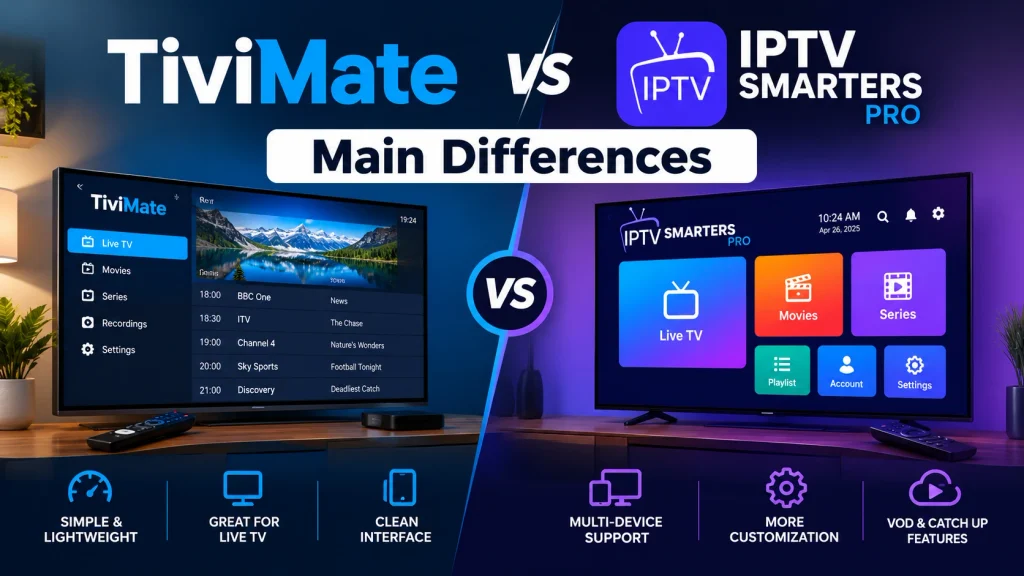
TiviMate vs IPTV Smarters Pro at a Glance
| Feature | TiviMate | IPTV Smarters Pro |
|---|---|---|
| Ease of setup | Moderate | Simple |
| Interface style | TV-guide first | Menu-driven |
| Firestick performance | Faster, smoother | Adequate, slightly heavier |
| Android TV performance | Excellent | Good |
| EPG | Fast, highly customisable | Functional, less flexible |
| Multiple playlists | Yes (Premium) | One active at a time |
| Recording | Yes (Premium) | No built-in DVR |
| Multi-screen / Multi-view | Up to 4–9 streams (Premium) | Up to 4 streams |
| Playback / decoder options | Hardware + Software (VLC) | ExoPlayer, VLC, MX Player |
| Customisation | Extensive | Limited |
| Free tier | Limited (ads, fewer features) | Core features free |
| Premium cost | Subscription required | Free (core features) |
| Platform support | Android TV, Fire TV only | Android, iOS, Windows, Mac, Fire TV |
| Best for | Power users, live TV fans | Beginners, multi-device households |
What Is TiviMate?
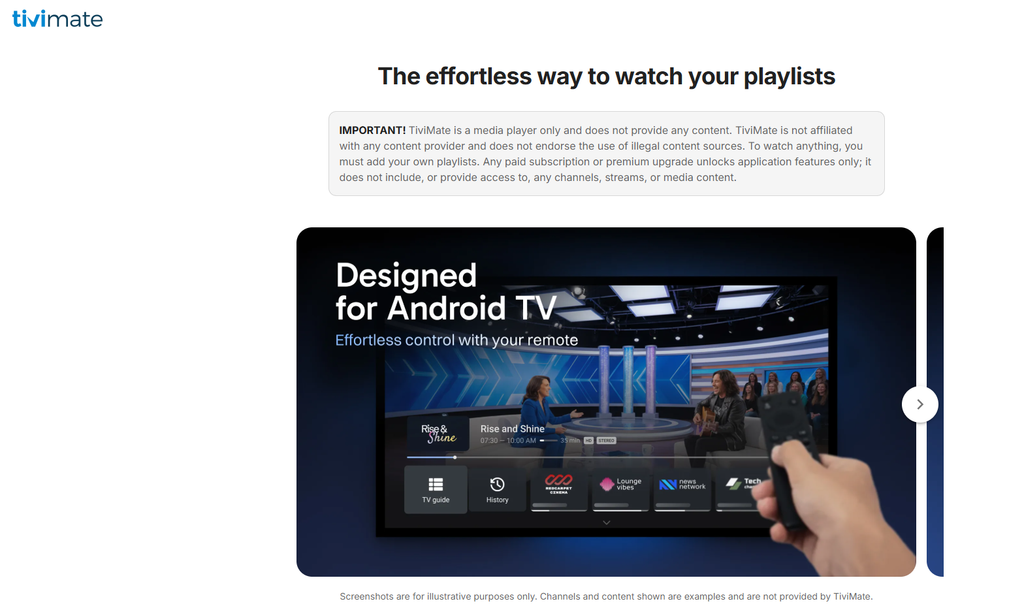
TiviMate is an IPTV player built specifically for Android TV and Fire TV devices. It’s designed around a traditional TV-guide layout, similar to what you’d recognise from a cable or satellite box, with an interface optimised for remote control navigation rather than touchscreen use.
The app targets viewers who watch a lot of live TV and want a broadcast-style experience. Its strengths include a fast, highly customisable EPG, built-in DVR recording (Premium), Multiview for watching multiple channels simultaneously, and support for multiple playlists. The interface is polished and well suited to a big screen.
The weaknesses are equally clear. TiviMate runs on Android TV and Fire TV only — there is no iOS version, Windows app, or Mac support. The free tier is limited: it shows ads, restricts playlist management, and locks out recording and Multiview. Premium unlocks the features that make TiviMate more useful, but some users report problems with subscription activation and payment.
Setup also takes more effort than some alternatives. Remote control mappings, EPG configuration, and the settings menu all need attention before the app feels right. It rewards the time spent configuring it, but that initial setup can take longer.
Choosing TiviMate for recording? Follow our TiviMate record to USB guide to set up a recording folder, avoid the FAT32 file-size limit and check your first recording before you rely on it.
What Is IPTV Smarters Pro?
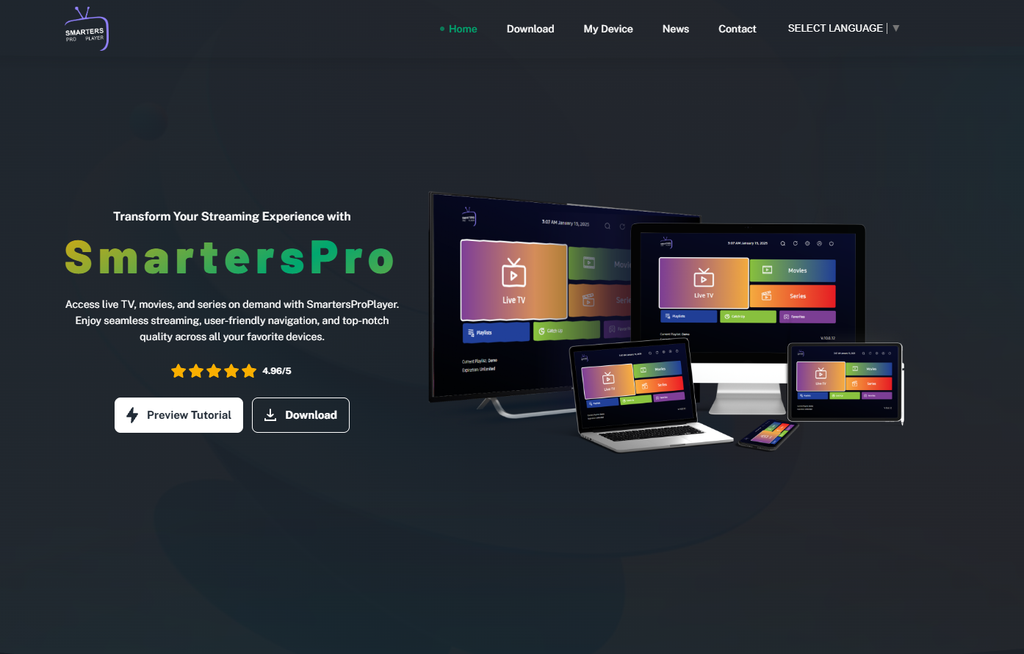
IPTV Smarters Pro is developed by WHMCS Smarters and takes a different approach. Where TiviMate is built around a TV-guide layout, Smarters Pro uses a simpler menu-driven interface — categories, then channels, then playback. It’s less visually focused on a traditional TV guide but easier to navigate for someone who’s new to IPTV players.
The app supports M3U playlists and Xtream Codes login, EPG, multi-screen viewing (up to 4 streams), parental controls, catch-up TV, and multiple decoder options including ExoPlayer, VLC, and MX Player. Core features are free, with no paywall blocking basic playback.
The platform support is a genuine advantage: IPTV Smarters Pro runs on Android, iOS, Windows, Mac, and Fire TV. If your household uses a mix of devices — such as a Firestick on the main TV, an iPhone in another room, and a Windows laptop — Smarters Pro can cover them with a familiar interface.
One important point: IPTV Smarters Pro is a player app. It does not provide channels, streams, or content. You need a separate IPTV subscription to use it — the app simply plays what your provider delivers.
Thinking about switching players because Smarters keeps failing? Check our IPTV Smarters troubleshooting guide first to identify the symptom and test whether another player handles the same account.
TiviMate vs IPTV Smarters Pro: Main Differences
Interface and Ease of Use
TiviMate opens with a full TV-guide grid — channels on one axis, time on the other, with the current programme highlighted. It’s familiar if you’ve used a Sky or Virgin box. The remote-first design means everything can be navigated with a standard Fire TV or Android TV remote.
The learning curve is real. Getting remote mappings right, configuring EPG sources, and working through the settings menu takes time. Beginners can find the first setup session overwhelming because the app offers so many options.
IPTV Smarters Pro is simpler by design. The menu structure is straightforward: pick a category, pick a channel, and watch. There’s less to configure and less to get lost in. Community discussions commonly favour TiviMate for dedicated TV viewing once configured, while Smarters Pro is often preferred by users who want to get started quickly.
Firestick Experience
This is where the difference between the two apps can be noticeable. Community reports across Reddit and IPTV forums put TiviMate’s channel switching at approximately 1–2 seconds on Firestick 4K and Firestick 4K Max, while IPTV Smarters Pro users report around 2–4 seconds on the same devices. These are community-reported figures rather than controlled benchmarks.
IPTV Smarters Pro runs well on Firestick, but it can feel slightly heavier, particularly with large channel lists, and its interface is less focused on remote navigation. If you’re getting IPTV on your Firestick and the Firestick is your primary viewing device, TiviMate is the stronger choice.
Android TV Experience
TiviMate was built for Android TV and Google TV, and it shows. The remote-optimised interface, fast EPG loading, and lower lag with large playlists make it feel at home on these devices. Community reports often describe it as faster and cleaner than Smarters Pro on the same hardware.
IPTV Smarters Pro works on Android TV but feels less tailored to remote navigation. The interface was designed with touchscreens in mind, making remote navigation functional rather than as fluid. For dedicated Android TV boxes, TiviMate is the natural fit. See the Android TV box setup guide for device-specific steps.
EPG and Programme Guide
The TiviMate EPG is one of its strongest features. Community testing on playlists with 5,000+ channels puts EPG loading at approximately 45 seconds for TiviMate versus approximately 62 seconds for IPTV Smarters Pro. These are community-reported figures rather than controlled benchmarks. TiviMate also offers smoother scrolling, more customisation, and Premium support for scheduling recordings directly from the EPG grid.
IPTV Smarters Pro has a functional EPG. It loads, displays programme information, and works, but it offers less flexibility and doesn’t provide the same recording integration.
One thing applies equally to both apps: EPG quality depends on your IPTV provider’s EPG feed. Neither app can fix a bad or incomplete EPG from the provider’s end. UK users should also check that the timezone is set correctly — GMT in winter and BST in summer. A wrong timezone can make EPG times appear one hour off.
Playlist Management
TiviMate Premium supports multiple playlists simultaneously, allowing you to add, manage, and switch between them. The free tier is more restricted. If you use subscriptions from more than one IPTV provider or want to keep playlists separate, Premium’s playlist management is useful.
IPTV Smarters Pro handles one active playlist at a time. Switching providers means going into Settings, removing the current playlist, and adding the new one. It’s workable for single-provider users, but managing multiple subscriptions becomes less convenient.
Recording
TiviMate Premium includes a built-in DVR. You can record live TV, schedule recordings from the EPG, and save content to local or USB storage. For viewers who want to record programmes, this is a significant feature.
IPTV Smarters Pro has no built-in recording feature. If recording is important to you, TiviMate has the advantage here.
Multi-Screen and Multi-View
TiviMate Premium’s Multiview lets you watch between 4 and 9 channels simultaneously on a single screen, depending on device capability. Older or lower-powered devices may struggle above 4 streams. IPTV Smarters Pro supports up to 4 simultaneous streams in its multi-screen mode.
For both apps, every visible stream counts as a separate connection on your IPTV plan. Multi-screen does not bypass your provider’s simultaneous connection limit. If your subscription allows 2 connections, running 4 streams can cause problems regardless of which app you use.
Playback and Decoder Options
TiviMate offers Hardware and Software/VLC decoding. Hardware decoding can be faster and use less CPU, while software decoding can be more compatible with some streams. Switching between them in Settings is a useful troubleshooting step for black screens or stuttering on specific channels.
IPTV Smarters Pro offers ExoPlayer, VLC, and MX Player. The flexibility is similar. Arabic-language IPTV communities frequently recommend switching the decoder when troubleshooting playback problems that aren’t caused by the provider.
Customisation
TiviMate’s customisation options include guide layout, remote control mappings, EPG organisation, channel grouping, playback behaviour, and more. It takes time to configure, but the setup can be tailored to your preferences.
IPTV Smarters Pro offers less customisation. What you see is largely what you get, which suits users who don’t want to spend much time in settings. For something between the two in terms of customisation, OTT Navigator is another option.
Performance and Stability
Buffering is usually a provider or connection issue rather than an app issue. TiviMate and IPTV Smarters Pro can perform similarly when connected to the same IPTV service on the same connection. Switching apps won’t solve an IPTV provider problem caused by overloaded servers.
TiviMate’s RAM usage is reported as slightly lower in some community comparisons. On very old, low-RAM Firestick models, IPTV Smarters Pro can occasionally feel lighter for basic playback, but this is a narrow edge case rather than a consistent pattern.
Setup for Beginners
IPTV Smarters Pro’s setup is simpler. The Add User flow asks for Xtream Codes credentials (server URL, username, password) or an M3U URL, and you can start watching within a few minutes. The interface doesn’t require much configuration to be usable.
TiviMate uses the same Xtream Codes login, but the settings menu is denser and remote mappings may need attention. Beginners often find Smarters Pro faster to get started with, while TiviMate becomes more useful once properly configured.
The most common setup confusion for both apps is choosing between Xtream Codes and M3U. The rule is simple: use Xtream Codes if your provider gives you a username and password. Use M3U if they give you a URL ending in .m3u or .m3u8.
Advanced Users
For users who want more control — multiple playlists, scheduled recordings, Multiview, deeper EPG customisation, and remote mapping — TiviMate is the stronger choice. IPTV Smarters Pro doesn’t compete at the same level, as its feature set is designed to remain more accessible.
TiviMate Free vs Premium
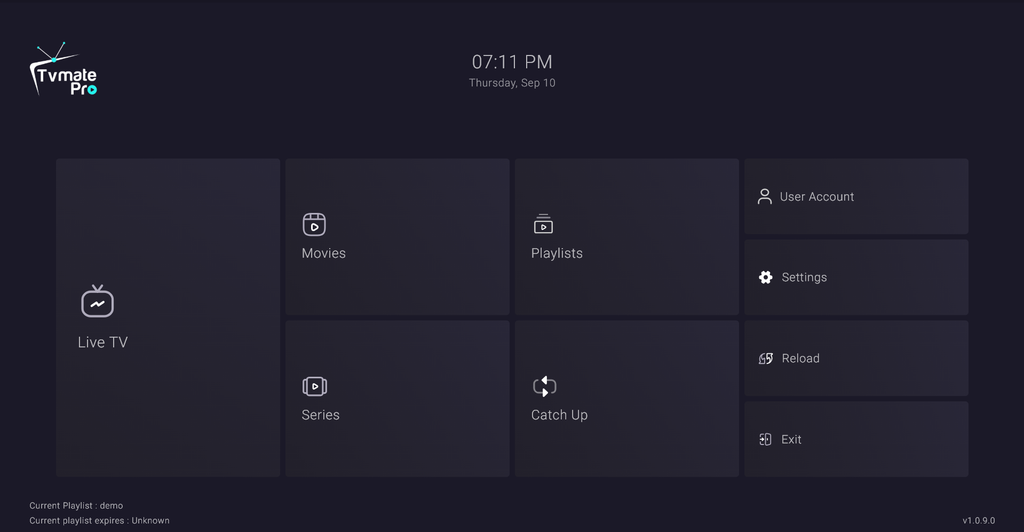
The free tier of TiviMate is useful for evaluating the app, but several important features are restricted. It shows ads, limits playlist management, and locks out recording and Multiview.
Premium unlocks multiple playlists, built-in DVR recording with scheduling, Multiview (4–9 streams), an ad-free experience, and additional EPG customisation. Check the current pricing in the app, as it can change.
Some users also report problems with subscription activation, including failed transactions, delays in Premium unlocking, and limited support responsiveness.
IPTV Smarters Pro: Free Features
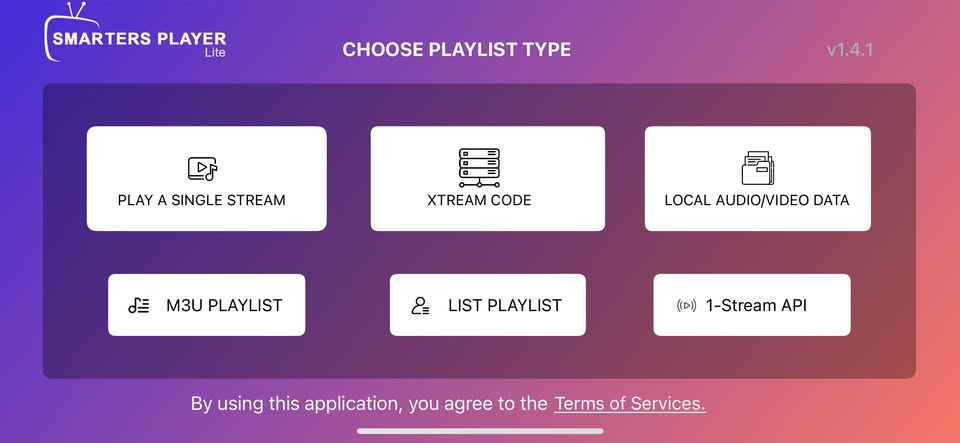
The core features of IPTV Smarters Pro are free, including M3U and Xtream Codes support, EPG, multi-screen viewing, parental controls, catch-up TV, and multiple decoder options. There is no official premium tier blocking these core features in most versions of the app.
This makes Smarters Pro useful without a subscription fee. The trade-off is that its feature set has a lower ceiling than TiviMate Premium. Verify the available features in your version, as they can differ between Android, iOS, and Windows builds.
Which Is Better for Firestick?
For dedicated Fire TV Stick users who primarily watch live TV, TiviMate Premium offers the stronger experience — faster channel switching, smoother EPG navigation, built-in recording, and an interface designed around remote control.
IPTV Smarters Pro is the better choice if you want something free and functional without extensive configuration. It works on Firestick, handles large playlists, and gets you watching quickly.
The practical split is simple: if your Firestick is your main TV device and you watch live TV regularly, TiviMate Premium is worth considering. If you want something free to start with, Smarters Pro is a good option. The full Firestick setup guide covers both apps.
Which Is Better for Android TV?
TiviMate was built for Android TV, and the difference is noticeable. Remote navigation is fluid, EPG loading is fast, and the TV-guide layout fits these devices well. For Android TV boxes and Google TV devices, it’s the stronger choice.
IPTV Smarters Pro also works on Android TV, but its interface is less focused on remote navigation. If you’re setting up an Android TV box for live TV viewing, TiviMate is the stronger starting point.
Which Is Better for EPG?
TiviMate offers faster loading, smoother scrolling, more customisable layouts, and the ability to schedule recordings directly from the guide. Community-reported EPG load times on large playlists (5,000+ channels) put TiviMate at approximately 45 seconds versus approximately 62 seconds for Smarters Pro. These figures are community reports rather than controlled benchmarks.
EPG quality is still determined by your provider’s feed, not the app. A provider with poor or incomplete EPG data will produce a poor guide in either app. UK viewers should also set the timezone correctly — GMT (UTC+0) in winter and BST (UTC+1) in summer.
Which Is Better for Beginners?
IPTV Smarters Pro. Setup is simpler, the interface is less overwhelming, the core features are free, and it’s available on the devices many beginners already use, including phones and laptops. You can start watching soon after entering your provider credentials.
TiviMate is the stronger long-term choice for viewers who watch a lot of live TV, but its initial configuration takes more time. Start with Smarters Pro if you want a simpler introduction, then consider TiviMate once you know what you want from a player. Start by choosing an IPTV subscription that suits your viewing habits.
Which Is Better for Advanced IPTV Users?
TiviMate. Multiple playlist management, scheduled recordings, Multiview, deeper EPG customisation, and remote mapping control make it the stronger option for power users. IPTV Smarters Pro does not offer the same level of control.
TiviMate vs IPTV Smarters Pro: Pros and Cons
| TiviMate | IPTV Smarters Pro |
|---|---|
| Pros | Pros |
| Polished TV-guide interface | Core features free |
| Faster EPG loading and scrolling | Cross-platform: iOS, Windows, Mac, Android, Fire TV |
| Built-in recording / DVR (Premium) | Simpler setup |
| Multiview — up to 4–9 streams (Premium) | Multi-screen up to 4 streams |
| Multiple playlist management (Premium) | Multiple decoder options: ExoPlayer, VLC, MX Player |
| Extensive customisation | Good for mixed-device households |
| Remote-optimised for Firestick and Android TV | |
| Cons | Cons |
| Android TV / Fire TV only — no iOS, Windows, or Mac | No built-in recording feature |
| Premium subscription required for key features | One active playlist at a time |
| Steeper learning curve | Limited customisation |
| Subscription activation complaints | Can feel heavier with large playlists |
| Free tier shows ads and is significantly limited | Interface less polished for TV / remote navigation |
Which IPTV Player Should You Use?
There’s no universal winner here. The right app depends on what you’re watching, where you’re watching it, and which features matter to you.
Choose TiviMate if:
- You watch live TV daily on a Firestick or Android TV box.
- You want to record programmes and schedule recordings from the EPG.
- You manage multiple IPTV playlists or subscriptions.
- You want a TV-guide experience with more customisation.
- You’re happy to pay for Premium features and spend time on the initial setup.
Choose IPTV Smarters Pro if:
- You want something free and functional without a subscription.
- You use IPTV across multiple devices — phone, tablet, Windows PC, and TV.
- You’re new to IPTV and want a simple setup.
- You don’t need recording or advanced playlist management.
- Your household uses iOS devices alongside Android or Fire TV.
One thing applies equally to both: neither app provides channels. You need a separate IPTV subscription to use either. You can explore available IPTV services or start with a free trial before committing. If you’re unsure about the legal position, see our guide to the legal status of IPTV in the UK.
Frequently Asked Questions
Is TiviMate better than IPTV Smarters Pro?
For dedicated TV viewing on Firestick or Android TV, TiviMate offers the stronger experience with features such as EPG customisation, built-in recording, Multiview, and a TV-focused interface. For cross-platform use, free access, and simpler setup, IPTV Smarters Pro is the stronger choice. Neither is universally better.
Which is better for Firestick: TiviMate or IPTV Smarters Pro?
TiviMate. Community reports commonly show faster channel switching and smoother EPG navigation on Firestick 4K and 4K Max. IPTV Smarters Pro also works well but can feel heavier, particularly with large playlists. If the Firestick is your main viewing device, TiviMate Premium is worth considering.
Is TiviMate easier to use than IPTV Smarters Pro?
No. IPTV Smarters Pro is easier to set up and navigate for first-time users. TiviMate has a moderate learning curve because of its remote mappings, EPG configuration, and denser settings menu. Once configured, TiviMate is well suited to daily TV viewing.
Does TiviMate have better EPG support?
Yes. TiviMate offers faster loading in community-reported comparisons, smoother scrolling, and more customisation options. TiviMate Premium also allows recordings to be scheduled from the EPG grid. EPG quality still depends on your provider’s feed.
Does IPTV Smarters Pro support multiple playlists?
Not simultaneously. IPTV Smarters Pro supports one active playlist at a time. Switching providers requires changing the current playlist. TiviMate Premium supports multiple playlists simultaneously, which is useful for users managing more than one IPTV subscription.
Which IPTV player is better for beginners?
IPTV Smarters Pro. The setup is simpler, the interface is less overwhelming, and the core features are free. TiviMate is a stronger option for regular viewers who want more control but requires more initial configuration.
Which IPTV player is better for advanced users?
TiviMate. Multiple playlist management, scheduled recordings, Multiview, deeper EPG customisation, and remote mapping make it the stronger option for advanced users.
Can TiviMate record IPTV?
Yes. TiviMate Premium includes a built-in DVR. You can record live TV manually or schedule recordings from the EPG and save content to local or USB storage. Recording is a Premium feature.
Can IPTV Smarters Pro record IPTV?
No. IPTV Smarters Pro does not provide a built-in recording or DVR feature. If recording is important, TiviMate Premium has the advantage.
Which one works better on Android TV?
TiviMate. It was built for Android TV and Google TV, with a remote-optimised interface, TV-guide layout, and EPG features suited to these devices. IPTV Smarters Pro also works on Android TV, but its interface is less focused on remote navigation.
Do TiviMate and IPTV Smarters Pro provide IPTV channels?
No. Both are player apps. They play streams from an IPTV subscription you provide. Neither app includes channels, streams, or content. You need a separate IPTV subscription from a provider to use either app.