
OTT Navigator not working almost always traces to one of five stages: the provider setup, stream access, a certificate or path error, playback decoding, or an account limit. Read the exact message on your screen. It tells you which stage failed, and each stage has its own fix.
We follow the developer’s FAQ and changelog throughout. Check the publisher before you start, because three different store listings share the name:
- OttNav Companion (SIA Scillarium Studio) manages Premium devices and slots. It does not play streams.
- OTT Navigator IPTV (AERONOXA) is a separately published player.
- OTT Player (AppNovatica SIA) is another listing with its own support.
Fixes documented for one publisher do not carry over to another.
TL;DR
- Match the message to the stage. A 403 is an access problem, an SSL error is a certificate problem, and a black screen is a decoding problem.
- For live channels failing with 401 or 403 while VOD works, ask your provider which User-Agent it expects.
- Premium device slots are not provider connections. “Not enough connections” means your account allowance is too small.
- Our prepaid plans cost £9.99, £37 or £55 with one active connection, and the trial is free for 24 hours.
How do I fix “Playlist with channels failed to load” and server errors?
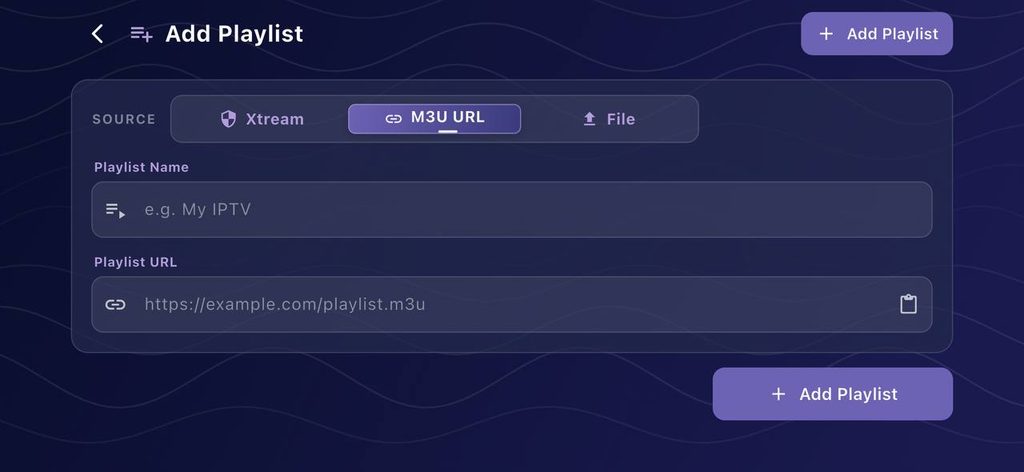
Match the provider template to what your provider sent you, then reload. Most loading errors come from choosing the wrong template or mistyping one detail.
| Message | What it means | Fix |
|---|---|---|
| Playlist with channels failed to load | Template and details do not match | Use Playlist for an M3U link, Xtream Codes for server, username and password, or Stalker for a portal and MAC. Correct typos and reload. |
| The server cannot be reached / cannot connect | The host or the network path is failing | Test another network and another player. Check proxy, DNS-over-HTTPS and VPN settings. Use the defer-start-until-network option added in version 1.7.4.1 if it fails right after boot. |
| The provider returned no channels | Login worked, but no channels are allocated | Ask your provider to check the channels on your package, then reload. |
| SSL certificate invalid, hostname not verified, chain validation failed, trust anchor not found | Certificate validation failed | Correct the device date, time and timezone first. If it persists, the provider must fix its certificate. |
| ENOENT (No such file or directory) / FileNotFoundException | The stream address lacks a server component | The provider must supply a complete stream URL. |
Do not disable certificate checking or swap HTTPS for HTTP. That removes the protection around your login instead of fixing the fault.
Pro tip: An accepted login and an empty catalogue are different failures. Say “logged in, zero channels” to support and you skip three rounds of questions.
Why is OTT Navigator not working with a 403 Access denied error?
A 403 means the provider refused the stream request. The fix is a provider-side authorisation or request setting, not a reinstall.
A community thread shows the pattern. A user got “401 access denied” on every live channel while VOD kept working. Changing the User-Agent fixed it for them. That is a provider-specific result, not a universal value, so take the value from your provider and never guess one.
Follow these steps:
- Note whether VOD plays while live channels fail.
- Ask your provider which User-Agent its server expects.
- Open the provider’s properties and save the original value.
- Enter the value your provider gives you.
- Reopen the same failing channel.
If the 403 appears after fast channel switching, the cause is too many requests. The developer’s documented fixes:
- Set the provider’s connection limit to your real allowance.
- Disable video previews.
- Test MPEG-TS where your provider supports it.
- Ask your provider whether a temporary block exists.
For “404 Stream not reachable”, reload the provider, then send the provider the exact channel name. A dead stream address is theirs to fix. Since version 1.7.3.1 (5 April 2025), the player shows 403 and 404 provider errors in provider status, so check there first.
How do I fix an OTT Navigator black screen, no sound or buffering?
Switch the codec on the same channel. The developer lists hardware, system and software VLC decoding as separate options for exactly these symptoms.
Playback checklist
- Open the player menu and choose Switch codec. Try each option on the same failing item.
- “None of the video tracks are playable”: switch codec first, then ask your provider about that source.
- Jagged or shaking news tickers: use software VLC decoding with deinterlacing.
- Volume buttons dead on Dolby or 5.1 channels: enable the software audio decoder.
- Sound out of step with picture: use Audio shift on that channel. Version 1.7.5.2 documents a hardware range of ±5 seconds.
- Missing audio track or subtitles: pick one in the player controls and set your preferred language. If the track is absent, your provider does not supply it.
- “Error occurred”: turn on the option to switch to the next channel after an error (version 1.7.3.3).
- “Widevine: DRM protection is not supported by this device”: your hardware lacks the protection level this stream needs.
Change one setting at a time. Switching codecs is swapping the projector bulb, not renting a different cinema.
Do not hunt for ways around DRM. If the device cannot support the protection, no codec choice will change that.
No single buffer value cures every setup. Compare the same channel in a second player, and the result tells you whether the player or the source is to blame.
If you want to compare a second account, request our free 24-hour trial. You get temporary credentials for one active connection and no card is needed, so you can check the same channel in your player before spending anything.
Why is the OTT Navigator EPG not working?
Find out whether the guide failed to download or loaded without matching your channels. These are separate faults with separate fixes.
| A: Guide will not download | B: Guide loads, channels show “No EPG teleguide” | |
|---|---|---|
| Typical sign | Download stops early or never completes | Some channels blank, others fine |
| Documented fix | Turn on cache-first EPG loading (version 1.7.5.2), built for providers that close the connection too quickly | Match by tvg-id and channel name, or map the channel manually |
| Related option | On-demand per-channel EPG for Xtream and Stalker (1.7.5.2) | Check the provider actually supplies current listings |
| Do not | Delete your playlist | Delete your playlist |
Wrong programme times follow a fixed order. Correct the device timezone first. Then apply a guide shift, which supports non-whole-hour offsets in minutes.
New channels missing after a provider update need a manual reload of the provider before anything else.
Version 1.7.4.1 (2 January 2026) fixed archive playback failing to advance across guide gaps. If your catch-up stalls at a gap, that release is the one to be on.
Why does OTT Navigator say “Not enough connections” when recording?
Recording uses a provider stream, so watching one channel while recording another needs two connections. A one-connection account cannot do both.
Worked example
| Item | Count |
|---|---|
| Connections your account allows | 1 |
| Streams used while watching live | 1 |
| Streams used while recording another channel | 1 |
| Streams needed | 2 |
| Shortfall | 1 |
Our standard plans include one active connection. Ask us before you plan to watch one channel while recording another.
Recording support is documented in version 1.7.5.2 (28 September 2026). It covers live recording, scheduled programmes and saving finished programmes from a provider archive. Storage can be internal, SD or USB, SMB or WebDAV.
Read the recording statuses precisely:
- Missed, Interrupted, Partly recorded: the device slept, the app closed or the stream broke. Run an attended test, then repeat it unattended.
- “format cannot be recorded yet”: the stream format is not supported for recording yet.
- “provider refused the stream”: your provider must authorise the request.
Do not format the drive in response to any of these. For TiviMate users, our TiviMate USB recording guide covers storage in that app.
How do I fix OTT Navigator Premium and the DF-PDP-3 purchase error?
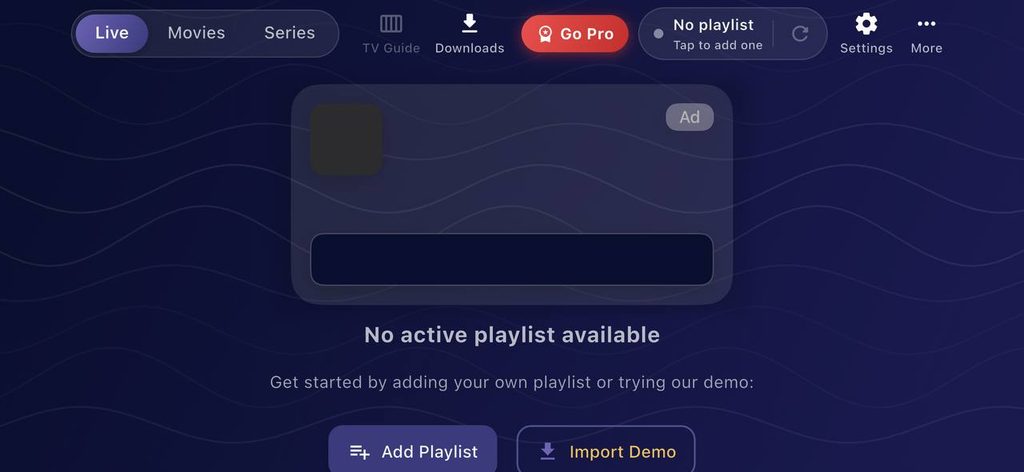
Sign into the same ottnav account on the new device and activate that installation. Premium is a player licence, and it never touches your channel subscription.
Q: Premium is missing on my new device.
A: Open Settings → Premium, sign into the purchasing account and check your device slots. On Fire TV or any device without Google Play, use OttNav Companion to add or remove devices and buy slots.
Q: What is DF-PDP-3?
A: It is a Google Play purchase error the developer links to an installation not obtained through Google Play. Install through the store and retry. Confirm the earlier payment did not complete before you pay again.
The trap competitors ignore: Premium slots and provider connections are different limits. Buying more slots cannot fix “Not enough connections”, and buying a second channel subscription cannot restore Premium.
What are the common OTT Navigator mistakes and what do they cost?
The costly mistakes are buying before diagnosing and fixing the wrong layer. Each one below has a price attached.
| Mistake | What it costs |
|---|---|
| Paying £55 for twelve months before the channels load | £55 committed to an untested setup |
| Renewing monthly after deciding to stay | £119.88 a year against £55, so £64.88 extra |
| Buying a new content plan to fix a player fault | £9.99, £37 or £55 spent with the fault unchanged |
| Buying Premium slots to fix “Not enough connections” | Premium spend with the connection shortfall untouched |
| Entering a guessed User-Agent | A 403 that stays, and a provider that may block you |
| Disabling certificate checks | Your login travels without the protection |
| Reinstalling first | Your provider settings and favourites to rebuild |
| Installing a same-name app from another publisher | Support and fixes written for a different product |
Our IPTV troubleshooting guide covers faults that hit every player, and our OTT Navigator Premium guide covers the licence side.
Verdict: what to do when OTT Navigator is not working
Fix the layer the message names, then change nothing else. Our rule is one deliberate change per test.
| You see | Do this |
|---|---|
| Logged in, zero channels | Provider checks the channel allocation |
| 401 or 403 on live, VOD fine | Get the User-Agent from your provider |
| 403 after zapping | Set the real connection limit, disable previews, test MPEG-TS |
| 404 on one channel | Provider fixes that stream |
| Fails right after boot | Use the defer-start-until-network option |
| Black screen or “None of the video tracks are playable” | Switch codec on that channel |
| Blank guide on some channels | Map them to the right guide entries |
| “Not enough connections” | Close other sessions or raise the account allowance |
| Premium missing | Sign into the right account and activate the device |
If the same account fails in a second player too, the problem sits with the account, not OTT Navigator. At that point compare a new account. Our prices are £9.99 for one month, £37 for six months (about £6.17 a month) and £55 for twelve months (about £4.58 a month, £165 over three years at unchanged prices). Each plan is prepaid, has one active connection and does not auto-renew.
Start with the trial, then pick the shortest commitment you are comfortable with. Our subscription cost breakdown explains how upfront payment differs from the monthly equivalent.
Ready to commit after testing? Compare our one-, six- and twelve-month plans to see prepaid prices, the connection allowance and the no-auto-renewal terms side by side.
OTT Navigator not working FAQs
Why is OTT Navigator not working?
Read the exact message and match it to the provider, access, certificate, decoding or account-limit stage. Fix that stage and change nothing else.
What does OTT Navigator 403 Access denied mean?
Your provider refused the stream request. Check authorisation, the provider’s required User-Agent and your connection limit.
How do I fix the OTT Navigator EPG not working?
Separate a failed download from unmatched channels. Use cache-first loading for downloads, and tvg-id or manual mapping for blank channels.
Why does OTT Navigator say “Playlist with channels failed to load”?
The provider template or details do not match what your provider supplied. Choose Playlist, Xtream Codes or Stalker to match, correct typos and reload.
Can OTT Navigator record?
Yes, version 1.7.5.2 (28 September 2026) documents live recording, scheduled recording and saving programmes from a provider archive. Recording needs a free provider connection.
Is OTT Navigator Premium an IPTV subscription?
No. Premium is a player licence, and your channel access comes from a separate provider.