
Most people asking what is IPTV have heard the term thrown around but can’t get a straight answer. Some think it’s a dodgy streaming box. Others assume it’s just another name for Netflix. Neither is quite right.
This guide explains what IPTV actually is, how the technology works, what you need to use it, and what UK law says about it. No jargon, no assumptions about your technical knowledge.
What Is IPTV?
IPTV stands for Internet Protocol Television. It is a method of delivering television content over an internet connection rather than through a traditional broadcast signal – no aerial, no satellite dish, no cable line required. The content travels as data packets across your broadband connection, in the same way a webpage or a video call does.
That is the technology. The important distinction is between the delivery method and the service or provider. IPTV is not a brand, a product, or a single platform. It is a way of transmitting TV. BBC iPlayer uses IPTV technology. So does Sky Go. So do thousands of other services, legal and otherwise. The technology itself is neutral.
Describing IPTV as “Netflix for live TV” oversimplifies things. Netflix is a specific platform with specific licensed content. IPTV is the underlying delivery mechanism that any number of services – licensed or unlicensed – can use. Understanding that distinction matters, particularly when the question of legality comes up.
How Does IPTV Work?
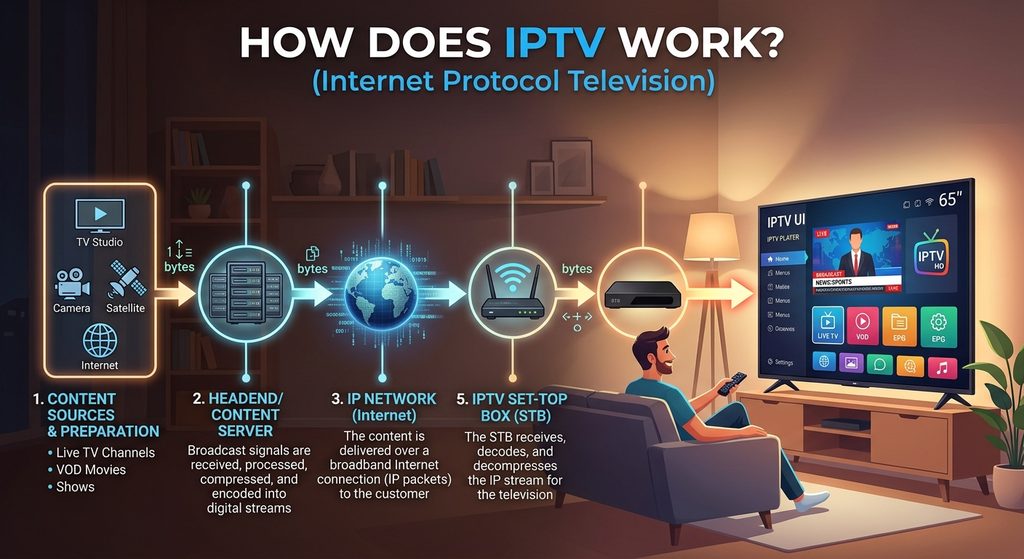
The delivery chain is straightforward once you see it laid out. Content originates from a broadcaster or rights holder, gets picked up by an IPTV provider, travels over the internet to your device, and is displayed through an app or player.
| Step | What happens |
|---|---|
| 1. Content source | Broadcaster or rights holder produces and distributes the video feed |
| 2. IPTV provider | Receives and re-streams the content to subscribers via its servers |
| 3. Internet connection | Your broadband carries the data from the provider’s server to your home |
| 4. IPTV app / player | Software on your device reads the playlist or authenticates with the server and plays the stream |
| 5. Your device | Smart TV, Firestick, phone, tablet, or computer displays the content |
Each part of that chain matters. A fast broadband connection is no use without a working IPTV service and account. A good player app is no use without valid login credentials. All five elements need to be in place for IPTV streaming to work reliably.
What Can You Watch With IPTV?
What is available depends entirely on the service and its licensing arrangements. IPTV is a delivery method, not a content guarantee. That said, IPTV services typically offer some combination of the following:
- Live TV channels – streamed in real time, like traditional broadcast television, but over the internet
- Sports – depending on the service and its licensing, this may include domestic and international fixtures
- News channels – UK and international, where the provider holds the relevant rights
- Films and TV series on demand – a library of content available to watch at any time, where supported
- Catch-up and replay – time-shifted viewing of programmes after they have aired, typically within a limited window, where the service offers it
- Video on demand (VOD) – a broader catalogue of content separate from live channels, again subject to the service’s licensing
Not every IPTV service provides all of these. Some focus purely on live channels. Others are VOD-only. Do not assume any given service includes everything on that list.
IPTV vs Traditional TV
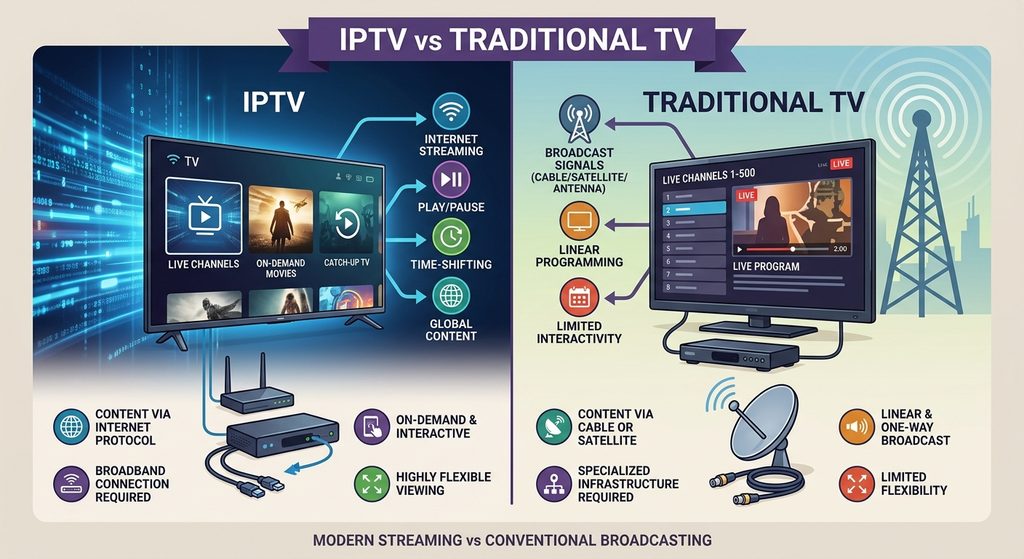
| Type | Delivery method | Internet required | Live channels | On-demand | Typical equipment | Flexibility | Examples |
|---|---|---|---|---|---|---|---|
| IPTV | Broadband / internet | Yes | Yes (service dependent) | Yes (service dependent) | Smart TV, Firestick, phone, tablet, PC | High – watch on any compatible device | BBC iPlayer, Sky Go, ITVX, third-party services |
| Cable TV | Coaxial cable | No | Yes | Yes (with box) | Set-top box, TV | Low – tied to one location | Virgin Media |
| Satellite TV | Satellite signal | No (for basic viewing) | Yes | Yes (with connected box) | Satellite dish, set-top box, TV | Low – dish installation required | Sky, Freesat |
| Terrestrial (Freeview) | Over-the-air broadcast | No | Yes | Limited (with Freeview Play) | Aerial, Freeview box or compatible TV | Low – aerial signal required | Freeview, YouView |
| Streaming platforms | Broadband / internet | Yes | Limited or none | Yes | Smart TV, phone, tablet, PC | High – watch on any compatible device | Netflix, Disney+, Apple TV+ |
What Do You Need to Use IPTV?
The requirements are the same regardless of which service you use, though the specifics vary between providers:
- A reliable internet connection – broadband stability matters as much as raw speed
- A compatible device – Smart TV, streaming stick, phone, tablet, or computer
- An IPTV player app – in most cases, you will need software to load and play the content (more on this below)
- A legitimate IPTV service and account – an IPTV subscription from a provider gives you access to their content
- Login details – either an M3U playlist URL, or an Xtream Codes server URL combined with a username and password, depending on how your provider delivers access
Requirements differ between providers. Some issue an M3U link. Others use Xtream Codes credentials. A small number have their own dedicated apps that handle authentication automatically. Check what your provider supplies before choosing a player app.
Which Devices Support IPTV?
IPTV works across a wide range of devices, but app availability is not universal. Not every player app runs on every platform.
- Smart TVs – app availability varies significantly by operating system. Samsung Tizen, LG webOS, Android TV, and Google TV each have different app stores with different IPTV app selections. Some platforms have limited options. See the guide to IPTV on Smart TV for a full breakdown by TV brand and OS.
- Amazon Fire TV Stick / Fire TV – one of the most popular devices for IPTV in the UK. The guide to IPTV on Firestick covers everything from setup to app selection.
- Android TV and Google TV devices – including Android TV boxes and televisions running either OS. A broad range of IPTV apps are available through the Google Play Store. The guide to IPTV on Android TV covers devices, apps, and setup.
- Nvidia Shield TV – runs Android TV, so compatible with the same apps as other Android TV devices
- Android phones and tablets – most IPTV player apps have Android mobile versions
- iPhone and iPad – iOS versions of several IPTV players are available, though the selection is narrower than Android
- Windows and Mac computers – IPTV can be used through browser-based players or desktop apps, depending on the service
IPTV Apps and Players – What’s the Difference?
This is where a lot of confusion starts. The player app and the IPTV service are two separate things. The app is software that reads your playlist or authenticates with your provider’s server and plays the streams. It does not supply the content itself.
Think of it like a media player on a computer. The player opens the file – but you still need the file. With IPTV, the player opens your channel list – but you still need an account with a provider.
Common IPTV player apps include TiviMate, IPTV Smarters Pro, GSE Smart IPTV, and OTT Navigator. Each has different features, interface styles, and platform availability. Which one suits you depends on your device and personal preference – none is universally the right choice. For a closer look at options available on Android devices, the guide to IPTV apps covers the main ones in detail.
You need both a player and a service account. One without the other gets you nowhere.
M3U, Xtream Codes and Login Details Explained
When you sign up to an IPTV service, you will receive either an M3U playlist URL or Xtream Codes credentials. Here is what each one actually is.
M3U playlists
An M3U file is a plain-text playlist. It contains a list of stream URLs along with channel metadata – names, logos, group categories, and EPG identifiers. The IPTV app reads this file and uses it to build your channel list. The M3U file is not the stream itself. It is a map or index that tells the player where each stream lives and what to call it.
M3U8 is the UTF-8 encoded version of the same format, commonly used in HLS (HTTP Live Streaming) contexts. You will see both terms used interchangeably in IPTV settings, and most modern apps handle either without issue.
Xtream Codes
Xtream Codes is an HTTP-based API used by many IPTV providers. Instead of a static playlist file, the app authenticates directly with the provider’s server using three pieces of information: a server URL, a username, and a password. The server then returns your channel list, VOD library, series catalogue, and EPG data dynamically – meaning the content can be updated on the provider’s side without you needing a new playlist file.
When you enter Xtream Codes credentials into a player app, the app calls the provider’s API, verifies your account, and builds the interface from what the server returns. The credentials themselves are just your access key – they do not contain any content.
How Much Internet Speed Does IPTV Need?
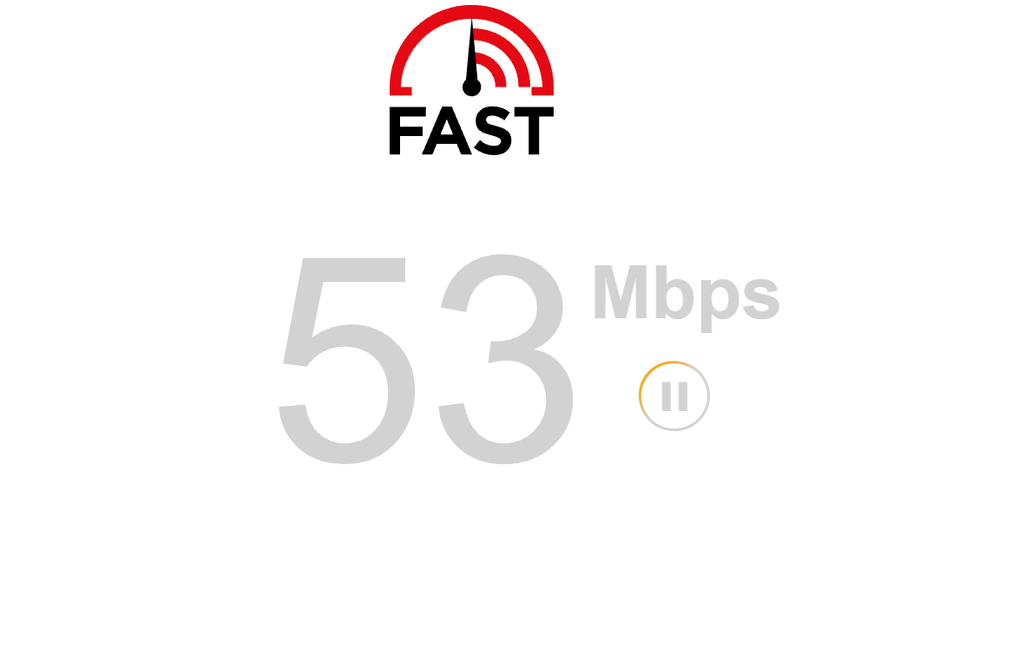
There is no single speed that guarantees a perfect experience. Several factors affect playback quality: your connection speed, Wi-Fi signal strength, network congestion at peak times, your device’s processing power, the quality of the stream itself, and the IPTV provider’s server performance on any given day.
That said, some general guidance applies:
- SD streams – require the least bandwidth; most broadband connections handle these without difficulty
- HD streams (1080p) – typically around 10 Mbps per stream as a working baseline, though 15 Mbps gives more headroom
- 4K streams – typically 25–50 Mbps per stream; 50 Mbps is a safer target for reliable playback
If you are running multiple streams simultaneously – or sharing your broadband with other devices – add the per-stream requirements together and leave headroom for background traffic.
Wired Ethernet is consistently more stable than Wi-Fi for IPTV. A device connected directly to your router via a cable will almost always perform better than the same device on wireless, particularly at peak times or in a busy household. If buffering is a recurring problem, the connection type is often the first thing worth checking.
Is IPTV Legal in the UK?
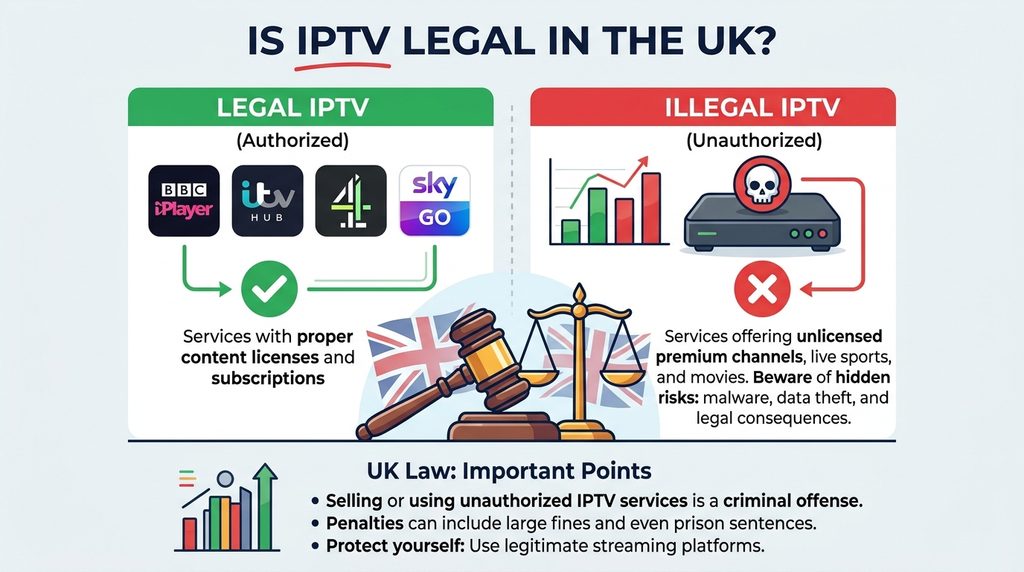
IPTV is a technology. The technology itself is not illegal. Whether using a specific IPTV service is legal depends entirely on whether that service holds the necessary rights and licences for the content it provides.
Legal IPTV services in the UK include BBC iPlayer, ITVX, Channel 4, Sky Go, the BT Sport app, and Netflix – all of which deliver content over the internet using IPTV technology and hold the appropriate broadcast licences. These are straightforward examples of legal IPTV.
An IPTV service becomes unlawful when it provides access to premium channels, live sports, or other licensed content without holding the rights to distribute it. The content is the issue, not the delivery method.
Two pieces of UK legislation are particularly relevant:
- Copyright, Designs and Patents Act 1988 (CDPA) – the primary framework governing copyright in the UK. Broadcasting or making copyrighted content available to the public without permission can infringe the rights of the content owner.
- Digital Economy Act 2017 – strengthened criminal penalties for serious online copyright infringement. The maximum sentence for commercial-scale conduct was increased to 10 years’ imprisonment. This is aimed at operators and distributors of unlicensed services, not ordinary viewers.
The question of legality is covered in full in the guide to Is IPTV legal in the UK?, including how to identify whether a service is likely to be licensed and what the practical risks are.
Common IPTV Problems
Even with a working service and a decent broadband connection, IPTV does not always run perfectly. These are the problems people encounter most often.
- Buffering and freezing – the most common complaint. Causes include weak Wi-Fi, congested broadband, ISP throttling, server overload on the provider’s side, an outdated app, or an underpowered device. Switching to Ethernet and restarting your router resolves it more often than anything else.
- Black screen – the channel loads but shows nothing. Usually a stream format issue, an outdated app or device firmware, or a problem on the provider’s server. Trying a different channel first helps narrow down the cause.
- Channels not loading – often a login or playlist issue. Check that your credentials are still valid and that the M3U URL or Xtream Codes server address has not changed.
- EPG not showing or showing the wrong schedule – the electronic programme guide can take time to populate after a fresh install. A wrong time zone setting on your device is a common cause of schedule mismatches. Most apps have a force-refresh option in the EPG settings.
- App crashes or login problems – clearing the app cache, reinstalling, or checking for an app update resolves the majority of these.
Frequently Asked Questions
What does IPTV stand for?
Internet Protocol Television. It describes the method of delivering television content over an internet connection rather than through a traditional broadcast signal.
Do you need internet for IPTV?
Yes. IPTV relies entirely on your broadband connection. Without a stable internet connection, the service will not function.
Can you use IPTV on a Smart TV?
Yes, though it depends on your TV’s operating system and which apps are available for it. See the guide to IPTV on Smart TV for a breakdown by TV brand.
Can IPTV work on a Firestick?
Yes. The Amazon Fire TV Stick is one of the most commonly used devices for IPTV. The guide to IPTV on Firestick covers setup in detail.
Is IPTV legal in the UK?
The technology itself is legal. Whether a specific service is legal depends on whether it holds the correct licences for the content it provides. Is IPTV legal in the UK? covers this in full.
Does IPTV include live TV?
It depends on the service. Many IPTV services offer live channels, but not all do. Some focus purely on on-demand content.
Do you need an IPTV app?
In most cases, yes. An IPTV player app is needed to load and play your service’s content on your chosen device.
Can IPTV work without a satellite dish?
Yes. IPTV uses your internet connection, not a satellite dish or aerial. No additional hardware is required beyond a compatible device and a broadband connection.