
An IPTV app trial lets you test player software. An IPTV service trial lets you test access supplied by a content provider. Paying to activate an app does not automatically include channels or renew your content account.
To evaluate our service, review the 24-hour Free Trial IPTV UK offer. It provides temporary account access on one compatible device; any separate player charges should be checked before starting.
What Does an IPTV App Trial Unlock?
An IPTV app trial lets you evaluate the application used to open and manage supported content sources. Depending on the app, you may be testing navigation, playlist handling or features that become restricted after the evaluation period.
That does not mean the developer supplies your television subscription. Smart IPTV, for example, explicitly states that its application does not include channels. Its activation payment unlocks the application, not a content package.
Smart IPTV as an example
Smart IPTV’s documentation describes a seven-day period for testing the application with your own stream sources. After that period, continued use requires device activation.
The developer also warns against paying when you have no channels or when something is not working: activation does not provide channels or fix those problems.
This makes the distinction clear:
- The app trial concerns use of the software.
- Your content source must be supplied separately.
- Activating the app does not extend the content account.
Premium features are not channel access
TiviMate makes the same separation explicit. Its official listing says it is a media player only and that paid upgrades unlock application features—not channels, streams or other media content.
Check what a payment unlocks before completing it. A Premium badge or activated device is not proof that you have purchased a television package.
What Does an IPTV Service Trial Include?
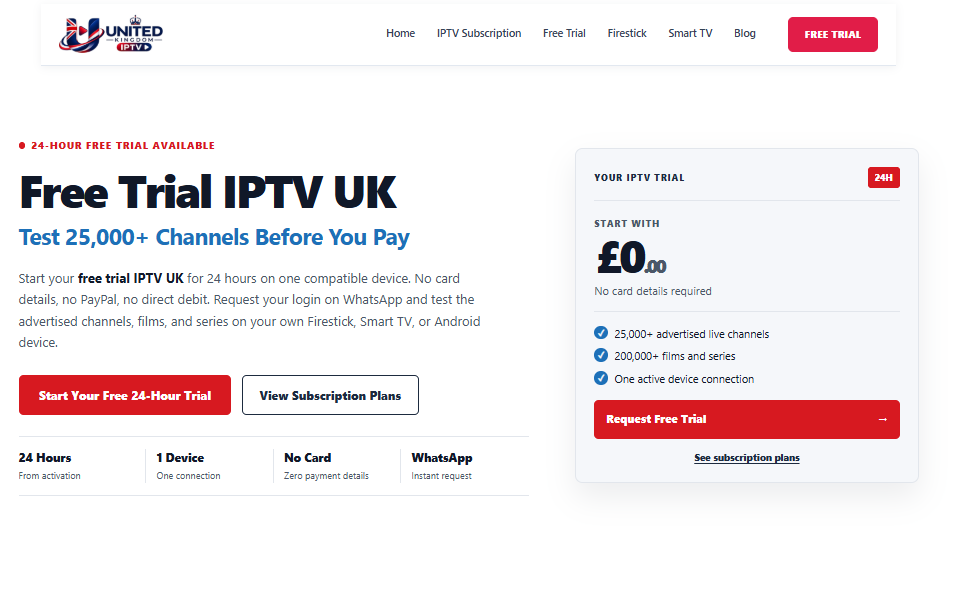
An IPTV service trial provides temporary access to a provider’s offer. You normally use the supplied account details or playlist in a compatible player.
Our IPTV service trial page currently advertises 24 hours from activation, one active connection and no card, PayPal or bank details. The access stops automatically and does not renew.
| Comparison | IPTV app trial | IPTV service trial |
|---|---|---|
| What you evaluate | Player software and its available features | The provider’s supplied access on your setup |
| Who controls the offer | Application developer | Service provider |
| Channels included automatically? | Not necessarily; check the app’s documentation | Check the provider’s actual trial scope |
| Payment after testing | May activate software or unlock features | May purchase continued content access |
| What happens at expiry | App access or features may become restricted | Provider account access may stop |
| Does one payment cover both? | Do not assume so | Do not assume so |
Smart IPTV and TiviMate document the software-versus-content distinction, while our trial page describes a separate, time-limited provider account.
Do any streaming services still have free trials?
Yes, service trials exist, but their duration, eligibility and billing conditions vary. Our published offer is a 24-hour trial without payment details—not a claim that every provider follows the same model.
Before requesting any trial, establish what access is offered, when the clock starts and whether it converts to a paid subscription.
Keep testing separate from authorisation
A successful trial demonstrates that something worked during the test. It does not prove that the provider holds distribution rights for every programme.
Our trial page makes that limitation explicit. Check content authorisation separately from technical compatibility.
Does Paying for a Player Include Channels?
Not automatically. Smart IPTV states that no channels are provided with activation, and TiviMate states that its paid upgrades provide application features only.
Before paying, identify the product:
- Application activation.
- Premium player features.
- A content-service subscription.
- A bundle whose inclusions are explicitly documented.
If the purchase screen does not clearly identify what is included, resolve that uncertainty before completing payment.
Which IPTV Smarters are free?
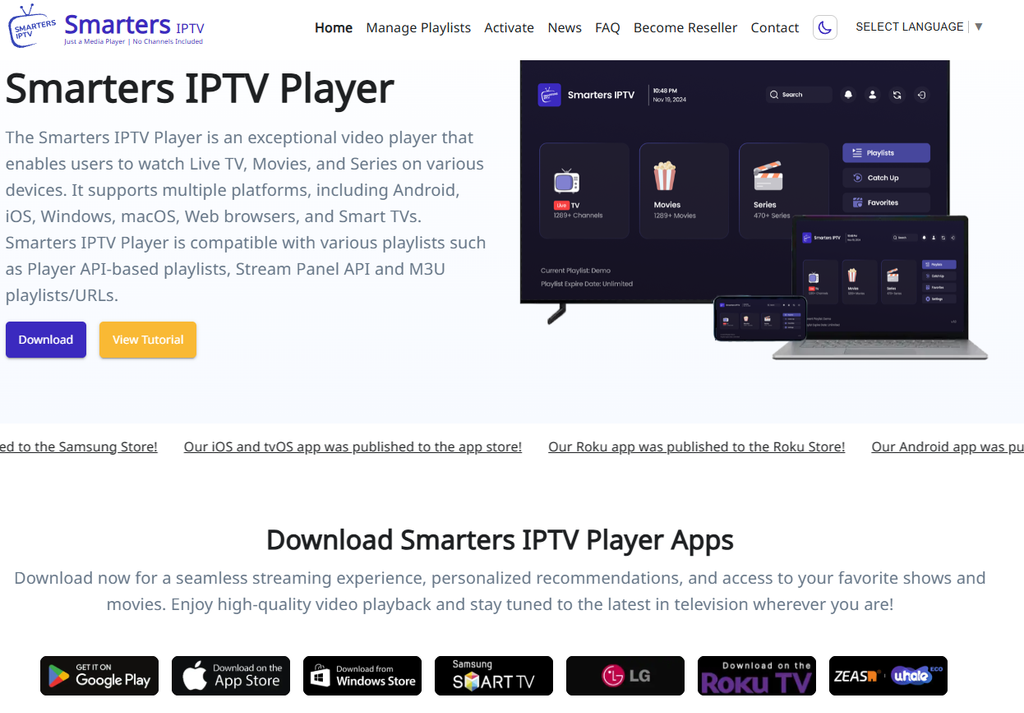
Do not treat “Smarters” as one universal offer. Your chosen application’s developer, version and current payment screen determine its terms.
For this article, the important question is not which Smarters-named app wins a free-player comparison. It is whether the payment unlocks the application or supplies content access.
Use our IPTV Smarters setup guide for account-setup background, then follow the documentation for the exact application you installed.
A companion app may not provide playback
An account-management application can also be mistaken for the player itself. TiviMate Companion, for example, manages Premium activation and devices; its listing explicitly says it is not an IPTV player.
Check whether you are installing playback software, a companion utility or a provider application.
Can an App Trial and a Service Trial Expire Separately?
Yes. The two offers can be controlled by different companies and follow different schedules.
Smart IPTV documents a seven-day application evaluation period. Our service trial runs for 24 hours from activation. Neither duration should be assumed to extend the other.
The player remains available, but content stops
An activated player can remain installed and usable after a provider account expires. App activation does not renew provider access.
If your content stops, check the account’s status before purchasing another application upgrade.
The account remains active, but the app is restricted
An application’s evaluation period can end while your content account still has time remaining. Check the player’s activation status separately from the service expiry.
Smart IPTV’s documentation explicitly distinguishes the end of its application test period from the requirement to supply your own channels.
Record both deadlines
Keep a simple record:
| Item | What to note |
|---|---|
| Player | Exact app name and developer |
| App evaluation | Expiry date and restrictions |
| Provider account | Activation time and expiry |
| Payments | What each payment unlocks |
| Connection allowance | Permitted simultaneous use |
| Support | Which company handles each issue |
This prevents you from paying the wrong company to solve the wrong problem.
What Should You Check Before Paying?
Confirm that you understand both the software arrangement and the service arrangement.
Check the application terms
Review:
- Whether your device is supported.
- Whether the app requires separate activation.
- Which features are included without payment.
- Whether a charge is one-time or recurring.
- Whether the app supplies any content.
- Whether another supported player is available.
For Smart IPTV, the developer expressly warns that activation does not fix missing channels or playback problems.
Check the service terms
Review:
- The trial duration and activation point.
- Payment-detail requirements.
- Automatic expiry or paid renewal.
- The active-connection allowance.
- Supported account formats.
- Content availability and authorisation.
Our published trial offers either Xtream Codes credentials or an M3U playlist link, depending on the setup, and permits one connection at a time.
Check the current trial conditions rather than relying on an older description.
Keep setup instructions on the right page
If you need installation help, use the relevant device or application guide. Our Smart TV IPTV guide provides a related starting point.
This article explains what you are evaluating and purchasing. It does not replace detailed installation instructions, a playback-testing checklist or a troubleshooting guide.
Compare costs separately
Review player charges independently from provider charges. Once you have evaluated the service and checked its authorisation, use our IPTV subscription page to review the published plan terms.
A cheaper player does not establish a better content service, and a longer subscription does not resolve an unsuitable application.
Which Trial Do You Need to Test Your Setup?
Choose according to the question you need answered.
| Your question | What to evaluate |
|---|
| Your question | What to evaluate |
|---|---|
| Is the player easy to use with my remote? | Application evaluation |
| Does the app support my supplied account format? | Application compatibility using authorised access |
| Does the provider offer the content I need? | Service trial and availability confirmation |
| Does the account work on my home setup? | Service trial through a compatible player |
| Are paid player features useful to me? | Application feature evaluation |
| What will continued viewing cost? | Separate app and service payment terms |
Sometimes you need both. Prepare the player first where possible, then start the service trial when you are ready to use the limited access period.
Do any streaming apps have a free trial?
Some applications offer an evaluation period, but you must check what it covers. Smart IPTV’s documented test period concerns use of its player with your own sources; it does not supply a channel subscription.
Do not infer content access from the words “free trial” alone.
Start with clearly defined access
If your player is ready and you want to evaluate our provider account, review the Free Trial IPTV UK page.
The published offer runs for 24 hours from activation on one active device, requires no payment details and stops automatically. Any separate player purchase remains a different transaction.
The essential distinction is straightforward: test the application for software suitability, test the service for the supplied access, and confirm exactly what each payment buys.