IPTV for Roku UK: Apps, Setup & Best Options in 2026
Roku can be part of an IPTV setup in the UK, but it works differently from Firestick and Android TV. This guide explains which Roku options are available, how native Roku players differ from Android IPTV apps, and how to use screen mirroring or AirPlay when the player you want is not available directly on Roku.
The important point: Roku is not an Android TV box. You cannot normally take an Android APK, install it manually and expect it to run on Roku. Roku uses its own application platform and Streaming Store.
That does not mean Roku is unusable for IPTV. You can use a compatible Roku application when one is available, or use supported screen mirroring or AirPlay from another device.
There is also an important distinction between an IPTV player and an IPTV service. The player is the software used to display your channels or playlists, while your IPTV account supplies the streams and content information.
With our United Kingdom IPTV service, current account information includes 25K+ channels, 200K+ movies and series, one active device connection, an Anti-Freeze option, no VPN requirement and customer support. Subscription options currently start at £9.99.
Can You Use IPTV on a Roku Device?
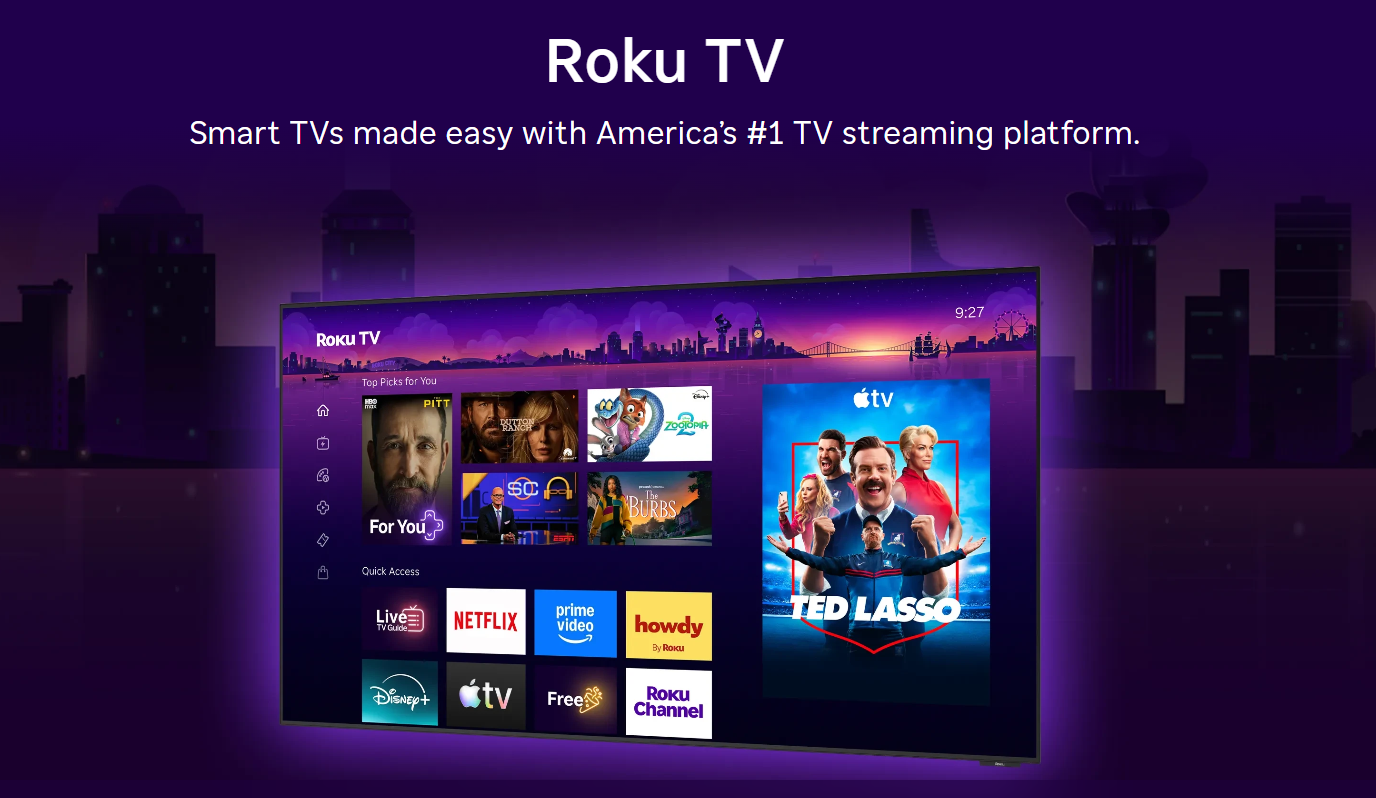
Yes, but there is no single Roku IPTV setup that works for every device.
Roku uses Roku OS and its own application ecosystem. Applications available through the Roku Streaming Store are built for Roku rather than being Android APK packages.
For a normal household setup, there are three practical routes:
- Use a compatible IPTV or media-player application available through Roku.
- Use screen mirroring from a compatible Android or Windows device.
- Use AirPlay from a compatible Apple device and Roku model.
Which method makes the most sense depends on whether you want the IPTV player itself to run on Roku or whether you are happy to use another device as the source.
Why Is Roku Different From Firestick or Android TV?
This technical difference explains most Roku IPTV limitations.
Fire TV and Android TV are Android-based platforms, while Roku uses its own operating system and application framework. That means an IPTV application designed for Android cannot simply be treated as a Roku application.
| Platform | Application environment | What it means for IPTV |
|---|---|---|
| Roku | Roku OS | Use compatible Roku applications or supported mirroring methods. |
| Fire TV | Fire OS / Android-based | Wider Android-oriented IPTV application ecosystem. |
| Android TV / Google TV | Android-based | Broad choice of Android IPTV applications. |
So when an IPTV tutorial tells you to download an Android APK, that tutorial is generally written for Android-based hardware rather than Roku.
What Changed With Roku IPTV Apps?
Roku's application system has changed over time, which is why many older IPTV guides now contain instructions that no longer describe the current Roku environment.
Roku announced the retirement of non-certified channels as part of changes to its developer and distribution system. Roku subsequently moved developers toward its certified and beta application pathways rather than the old non-certified channel model.
This matters because an old tutorial may tell you to add an unpublished channel using an old channel code. That should not automatically be treated as a current Roku setup.
Which IPTV Apps Work on Roku in 2026?
There is no permanent master list because application availability can change and store availability can differ between markets.
Roku currently lists media-player applications including Smarters Pro and IBO Player Pro variants. That is different from saying that every Android IPTV application is available on Roku.
Smarters Pro
Roku currently lists Smarters Pro as a standalone media player. Check the current Roku listing and its supported input formats before configuring it with your account.
IBO Player Pro
Roku listings include IBO Player Pro variants. Availability and supported playlist or account formats can vary, so verify the listing on your Roku before choosing it.
TiviMate
TiviMate is primarily associated with Android-based television platforms. You should not expect the Android TV version to install directly on Roku.
Other Players
Roku application availability changes, so search your own Roku Streaming Store rather than trusting an old third-party app list.
What Is the Best IPTV App for Roku?
There is no single IPTV player that is automatically best for every Roku user.
The better player is usually the one that is actually available for your Roku model and region, accepts the connection method used by your IPTV account, works smoothly with your streams and has an interface that is comfortable to navigate with the Roku remote.
| What to check | Why it matters |
|---|---|
| Roku compatibility | The application needs to be available for your actual Roku environment. |
| M3U support | Useful if your account is supplied as an M3U playlist. |
| Xtream support | Useful if your account uses server, username and password fields. |
| EPG | Important if you want programme schedules and guide information. |
| Navigation | Large channel libraries are easier to use with favourites and search. |
For our United Kingdom IPTV account, choose a player based on what your Roku can actually install and which connection method your account supports rather than choosing an application simply because another IPTV website recommends it.
How Do You Install an IPTV App on Roku?
For a native Roku application, the normal starting point is Roku's own application store.
What If the IPTV App You Want Isn't on Roku?
This is where screen mirroring can become useful.
Instead of installing the IPTV player on Roku, you install and run the player on another compatible device such as an Android phone or Windows computer, then mirror that device's screen to the Roku.
This means that an unavailable Roku application does not necessarily prevent you from watching IPTV through the Roku-connected television.
How Do You Mirror IPTV From Android to Roku?
Roku supports screen mirroring from compatible Android devices, although the exact name of the feature can vary between manufacturers.
Can You Use IPTV With an iPhone and Roku?
Yes, compatible Roku devices support Apple AirPlay and can mirror or stream content from compatible iPhone, iPad and Mac devices.
Can You Use IPTV With Windows and Roku?
Yes. Roku supports screen mirroring from compatible Windows devices.
On Windows 11, you can use Win + K to open the wireless display connection interface and then select your Roku device when supported.
Can You Use an M3U Playlist With Roku?
You can use an M3U playlist when the Roku application you choose supports M3U input. The important point is that M3U is a playlist format, not a Roku-specific technology.
The Roku player has to implement the relevant playlist and streaming functions itself. That is why you should never assume that every Roku IPTV application supports every type of M3U playlist.
If the player supports M3U, a typical playlist structure may look like this:
What Are Xtream Codes?
Xtream Codes is another connection method commonly used by IPTV players.
Instead of pasting a single long playlist URL, a compatible player may ask for three separate fields:
The player then uses those details to retrieve the available content.
The practical benefit is that many IPTV players can use this information to organise live TV, movies, series and EPG information into separate sections.
Android support for Xtream Codes does not automatically mean that the Roku version of an application supports the same login method.
Is M3U or Xtream Codes Better for Roku?
The better format is the one your Roku application supports reliably.
| Connection | How it works | When it is useful |
|---|---|---|
| M3U | One playlist URL is entered into the compatible player. | Useful for players built around playlist imports. |
| Xtream Codes | Server URL, username and password are entered separately. | Useful when the player provides a dedicated Xtream login. |
Why Does IPTV Buffer on Roku?
Buffering can have several causes, particularly when Roku is being used as a screen mirroring device rather than running the IPTV player directly.
A mirrored setup can look like this:
A problem anywhere along that path can produce a buffering or stuttering symptom.
What if only one channel buffers?
Test several channels from different categories. If only one or two channels have problems while others play normally, the issue may be isolated to those particular streams rather than your entire network.
What if every channel buffers?
Check your home network first. Restart your router, Roku and source device, then test another application or connection where practical.
What if the picture stutters during mirroring?
Remember that screen mirroring reproduces the source device's display. The phone, tablet or computer remains part of the viewing chain and needs to stay powered on.
For a deeper troubleshooting guide, visit: Why Does IPTV Buffer?
Should You Use 5 GHz Wi-Fi With Roku IPTV?
A 5 GHz connection can be useful when the router and devices support it and the signal is strong enough. It generally offers higher local wireless performance over shorter distances.
But 5 GHz is not automatically better in every room. A strong 2.4 GHz connection can be more reliable than a weak 5 GHz signal separated by several walls.
The important thing is the stability of the connection between your Roku, source device and router.
Should You Turn Off Roku Bandwidth Saver?
Roku's Bandwidth Saver is designed to reduce data usage by prompting after a period without remote or mobile-app activity. It is not simply a setting that lowers IPTV picture quality.
If you regularly watch long events without touching the remote, you may encounter the inactivity prompt.
What Should You Do After a Roku Software Update?
Do not automatically assume that a Roku software update has created a universal IPTV problem. Different Roku models, applications and playback methods behave differently.
How Do You Refresh an IPTV Playlist on Roku?
The exact process depends on the IPTV player.
Some players include buttons such as Refresh Playlist, Reload or Update. Others reload account information whenever the application starts.
With an M3U setup, the player generally retrieves information again from the stored playlist URL. With an Xtream-style setup, the player reconnects using your saved server, username and password.
Is Roku Better Than Firestick for IPTV?
It depends on how important IPTV applications are to your setup.
Best for simplicity
A good option when you already own a Roku, want a straightforward streaming interface and are happy to use compatible Roku applications or mirroring.
Best for IPTV flexibility
More attractive for users who specifically want IPTV applications running directly on an Android-based streaming environment.
Best for app choice
Useful for users who want a broader Android IPTV application ecosystem and more control over their player selection.
Test before buying anything
If you already have Roku, try the available player or a supported mirroring method before purchasing additional hardware.
How Does Roku Compare With Firestick and Android TV for IPTV?
| Feature | Roku | Firestick | Android TV / Google TV |
|---|---|---|---|
| Native Roku apps | Yes | No | No |
| Android APK ecosystem | No | Yes | Yes |
| TiviMate | Not natively available | Supported on Android-based platforms | Supported |
| IPTV player choice | Depends on current Roku Store availability | Broad | Broad |
| Android screen mirroring | Supported on compatible models | Device-dependent | Device-dependent |
| AirPlay | Supported on compatible models | Device-dependent | Device-dependent |
| Best for | Simple streaming + compatible IPTV options | IPTV + streaming flexibility | IPTV + broad Android app choice |
What Should You Check Before Choosing United Kingdom IPTV for Roku?
The first thing to test is not simply the number of channels advertised. Test the complete setup you actually plan to use.
- Roku model: know exactly which device you own.
- Application: confirm that the IPTV player is available for your Roku.
- Connection method: check whether the player supports M3U, Xtream Codes or another method.
- Network: test the Roku and source device on your normal home connection.
- Screen mirroring: test the complete phone/tablet/PC-to-Roku chain when applicable.
- EPG: check that guide information loads correctly if it matters to you.
- VOD: test movies and series as well as live channels.
Our current United Kingdom IPTV service information includes:
We also offer an Anti-Freeze option, customer support and no VPN requirement. Plans currently start at £9.99.
Before choosing a longer plan, our free IPTV trial UK page is useful for testing the exact device and playback setup you intend to use.
What International IPTV Content Can You Watch With United Kingdom IPTV?
Roku is only the playback device. The content categories available to your account depend on the IPTV service and your chosen player.
We also maintain dedicated pages for several popular international IPTV categories:
How Does United Kingdom IPTV Work on Roku?
Player runs directly on Roku
Your United Kingdom IPTV account connects to a compatible Roku IPTV or media-player application.
Player runs on another device
Your IPTV application runs on Android, Windows or a compatible Apple device, while Roku receives the mirrored or AirPlay display.
This distinction also explains why your IPTV credentials normally belong inside the IPTV application rather than inside Roku's general network settings.
Which Other Devices Can You Use With United Kingdom IPTV?
Roku is not the only option. If you prefer a player that runs directly on your streaming device, our other device guides can help you choose a more suitable platform.
IPTV for Smart TV UK
Learn more about IPTV installation across Smart TV platforms and how app compatibility differs between manufacturers.
Read the Smart TV IPTV guide →IPTV for Firestick UK
Explore a more Android-oriented setup when you want IPTV applications to run directly on the streaming device.
Read the Firestick IPTV guide →IPTV for Android UK
Compare Android TV, Google TV and Android-device options for IPTV playback.
Read the Android IPTV guide →IPTV Buffering Help
If the problem is playback rather than Roku compatibility, use our detailed buffering guide to troubleshoot the connection.
Troubleshoot IPTV buffering →What Are the Most Common Questions About IPTV on Roku?
Can you get IPTV on Roku?
Yes. You can use compatible Roku applications when available, or use supported screen mirroring or AirPlay from another device.
Can you install an Android IPTV APK on Roku?
No. Roku OS uses a different application platform and does not use Android APK installation like Android TV or Fire TV.
Does Roku have IPTV apps?
Roku has media-player and IPTV-related applications available through its application ecosystem, but availability can vary by device and region.
Does TiviMate work directly on Roku?
You should not expect the Android TV version of TiviMate to install directly on Roku. Android-based hardware is the more appropriate platform for TiviMate.
Can I use M3U on Roku?
Yes, when the Roku application you choose supports M3U playlists. M3U support depends on the application rather than Roku alone.
Can Roku use Xtream Codes?
Support depends on the specific IPTV player. The application must implement Xtream-style login support.
Can I use an iPhone with Roku for IPTV?
Compatible Roku devices support AirPlay and screen mirroring from compatible Apple devices.
Can I mirror IPTV from Android to Roku?
Yes, on compatible Roku and Android devices. Roku supports screen mirroring from compatible Android devices.
Does my phone need to stay on while screen mirroring?
Yes. During screen mirroring, the source device remains part of the session and needs to remain powered on.
Why does IPTV buffer on Roku?
Buffering can be caused by your internet connection, Wi-Fi, source device, IPTV application, mirroring connection or an individual stream.
Is Firestick better than Roku for IPTV?
For users who want a wider Android IPTV application ecosystem and direct IPTV player installation, Firestick can be the more flexible choice.
Are You Ready to Test United Kingdom IPTV on Roku?
Roku can work for IPTV, but the right setup depends on your Roku model, application availability and whether you want to use a native player or another device through screen mirroring or AirPlay.
Start by testing the exact combination you plan to use. Once your Roku, IPTV player and network are working properly, you can choose the subscription option that fits your viewing needs.
Test IPTV With a Free TrialWhat Should You Read Next About IPTV Devices?
- IPTV for Smart TV UK — Compare IPTV setup options across Smart TV platforms.
- IPTV for Firestick UK — Learn how to use IPTV directly on Firestick.
- IPTV for Android UK — Explore Android TV, Google TV and Android device options.
- Why Does IPTV Buffer? — Troubleshoot buffering and playback problems.
- IPTV Subscription UK — View the current United Kingdom IPTV plans and features.
- IPTV Free Trial UK — Test the service on your device before choosing a longer plan.