
IPTV for Hisense Smart TV (VIDAA): Apps, Setup & Best Options
Have a Hisense Smart TV and want to watch IPTV directly on it? This guide explains how IPTV works on VIDAA, which players are worth checking, how to add M3U or Xtream Codes, how to deal with buffering, and when an external streaming device makes more sense.
Start with one simple check: find out whether your Hisense TV actually runs VIDAA. Hisense also sells televisions using other platforms, including Google TV, and the IPTV setup is completely different.
VIDAA has its own application environment, so instructions written for Android TV, Google TV or Fire TV should not automatically be applied to a Hisense television running VIDAA.
There is another distinction that saves a lot of confusion: the IPTV player and the IPTV service are two different things. The player is the application you use to browse and play content. The service provides the account or playlist it connects to.
With our United Kingdom IPTV service, current information includes 25K+ channels, 200K+ movies and series, one active device connection, an Anti-Freeze option, no VPN requirement and customer support. Subscription options currently start at £9.99.
What Is VIDAA OS and Why Does It Matter for IPTV?
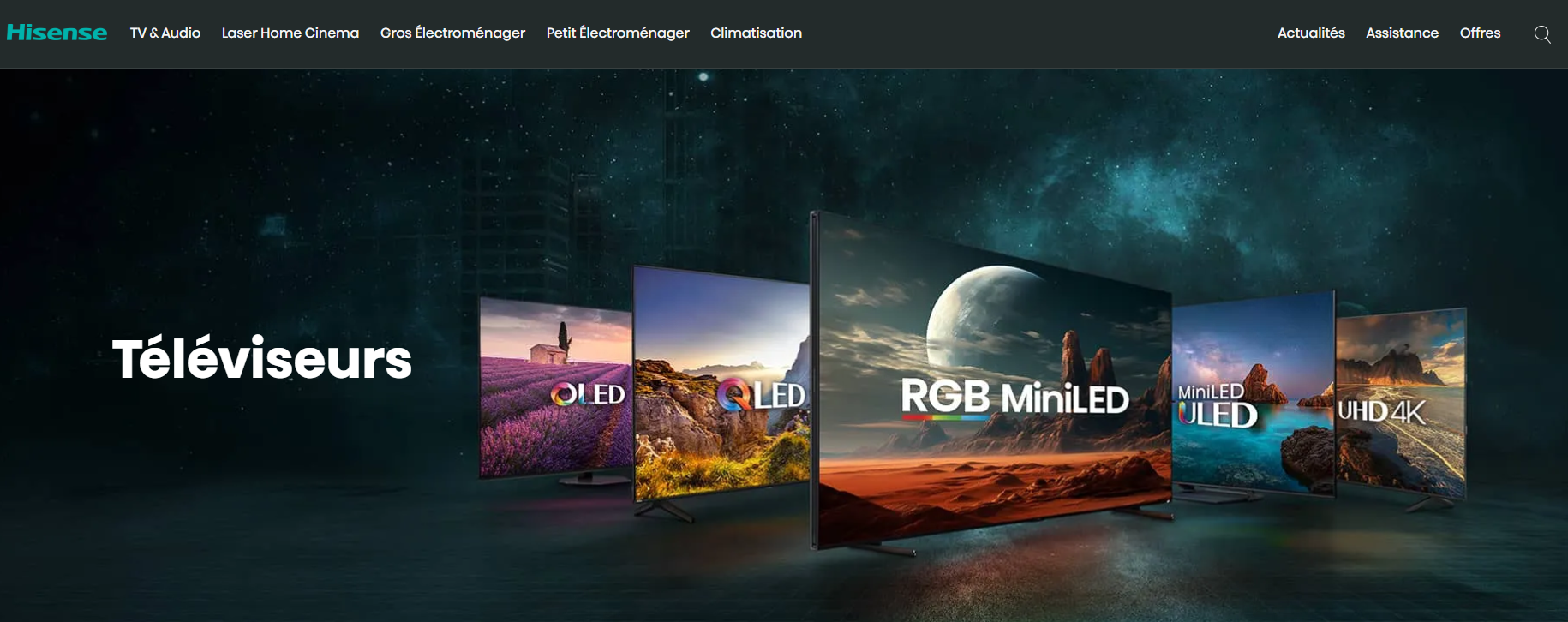
VIDAA is Hisense's Smart TV platform. It has its own interface, software environment and application ecosystem, which is why an IPTV tutorial written for Android TV does not necessarily apply to your Hisense television.
The biggest difference is the application model. A VIDAA television is not an Android TV device, so you should not treat an Android APK as though it were a normal VIDAA app.
Can you install Android APKs on VIDAA?
VIDAA does not provide the same Android APK installation process found on Android TV, Google TV or Fire TV. An Android APK therefore should not be treated as a normal way to add an IPTV player to a VIDAA television.
Does a USB stick let you install IPTV apps?
A USB port on a Smart TV is not the same thing as an Android app installer. Putting an APK on a USB drive does not turn a VIDAA television into an Android TV device.
What about developer mode?
VIDAA has developer-oriented tools, but that does not make the platform compatible with Android APKs. For normal IPTV users, the practical route remains the television's supported application ecosystem.
Can a VIDAA update affect an IPTV app?
Application behaviour can change after TV software updates. If a player suddenly becomes unstable, check the current software version and available updates before assuming the IPTV account itself is the problem.
The exact wording can vary slightly depending on the Hisense model.
Which IPTV Setup Is Best for Your TV?
Hisense VIDAA is not the only option. Compare our device guides and see how the IPTV experience changes between Smart TV platforms and external streaming devices.
Can You Use IPTV on a Hisense VIDAA TV?
Yes. You can use IPTV directly on a Hisense VIDAA television when a compatible IPTV player is available for that TV.
The part that often gets missed is compatibility. The availability of an IPTV application can depend on the television model, software version and market.
That makes the VIDAA app store on your own television the best place to start. Search for the player you want before building the rest of your setup around it.
How can you check whether your Hisense runs VIDAA?
The exact menu names vary between models, but the TV's Settings or Support area normally contains information about its software and system.
If the TV instead presents the Google TV interface and Google Play environment, it should be treated as a Google TV device rather than a VIDAA television.
What Is the Best IPTV App for Hisense VIDAA?
There is no single player that is best for every Hisense TV. What matters first is whether the application is available on your television and whether it supports the connection method supplied with your IPTV account.
SS IPTV
SS IPTV is a well-known Smart TV player built around playlist management. It can be a practical choice when you want a simple way to load an IPTV playlist without using an Android device.
Its current availability and exact feature set should still be checked directly on your television.
SmartOne IPTV
SmartOne IPTV maintains dedicated VIDAA documentation and supports IPTV setup through the VIDAA application ecosystem on supported TVs.
Its current VIDAA documentation also lists M3U playlists and Xtream-style API connections, making it one of the more interesting options for users who want both connection methods.
Net IPTV
Net IPTV is another player worth checking when it appears in the current application store on your Hisense TV. Its interface is more functional than elaborate, but it can be useful for playlist-based setups.
IPTV Smarters
Smarters-branded IPTV applications can have different availability depending on the platform, developer and store listing. Do not assume that the Android version is automatically available for VIDAA.
Search the current VIDAA store and check the exact application before planning your setup around it.
How Do the Main IPTV Apps Compare on Hisense VIDAA?
| Player | M3U | Xtream | EPG | VIDAA availability | Best suited to |
|---|---|---|---|---|---|
| SS IPTV | Yes | Check current version | Supported | Check current TV/store | Simple playlist setup |
| SmartOne IPTV | Yes | Yes | Supported | Supported on compatible VIDAA TVs | Live TV + VOD |
| Net IPTV | Check current version | Check current version | Check current version | Model/region dependent | Alternative playlist setup |
| IPTV Smarters | Depends on exact app | Depends on exact app | Depends on exact app | Availability varies | Use when the correct VIDAA version is available |
| TiviMate | Yes on Android TV | Yes on Android TV | Yes on Android TV | No native VIDAA version | Android TV / Google TV |
Can You Install TiviMate on a Hisense VIDAA TV?
No. TiviMate is built for Android TV environments and is not a native VIDAA application.
That is an important distinction because Hisense sells televisions on different operating systems. A Hisense TV running Google TV can use compatible Android TV apps; a Hisense TV running VIDAA cannot simply use those same Android packages.
TiviMate's current Android TV listing supports M3U, Xtream Codes and Stalker Portal, but that support applies to the Android TV environment rather than VIDAA.
If TiviMate is the player you specifically want, an external Android-based device is the simpler route.
See our IPTV for Firestick UK guide for another way to run Android IPTV players.
Can You Install IPTV Smarters on a Hisense VIDAA TV?
It depends on the exact application and the current VIDAA store available to your TV.
That is why it is better to search the application store on the television than to rely on an article written for a different Hisense model or a different platform.
If the application is not listed, there is no reason to spend time looking for an Android APK workaround. Use another VIDAA-compatible player or connect an external Android-based device.
Can You Use IBO Player, OTT Navigator or Kodi on VIDAA?
These applications should be treated individually rather than assuming that an app available on Android TV, Samsung Tizen, LG webOS or another platform is automatically available on VIDAA.
If the application does not appear in your current VIDAA store, the practical choices are to use a different compatible player or move the IPTV application to an external streaming device.
How Do You Install IPTV on a Hisense VIDAA TV?
The process is fairly simple when the IPTV player you need is already available for your television.
How Do You Add an M3U Playlist on Hisense VIDAA?
An M3U playlist is normally supplied as a URL. Your IPTV player uses that address to retrieve the channel information it needs.
A fictional example looks like this:
This is only an example format. Never use the placeholder address above as your real playlist. Use the actual details provided with your United Kingdom IPTV account.
The way you enter the playlist depends on the IPTV player. Some apps provide a playlist field directly on the TV, while others use a separate activation or management process.
How Do You Add Xtream Codes on Hisense VIDAA?
If the chosen player supports Xtream-style connections, you will normally see three fields:
SmartOne IPTV's current VIDAA documentation supports this type of connection, alongside M3U playlist setup.
Xtream-style login can be convenient because the player can separate live TV, movies, series and other account information when the service and application support those features.
How Do You Add EPG on a Hisense IPTV App?
EPG stands for Electronic Programme Guide. It is the information that adds programme names and schedules to the channel list.
If your IPTV service supplies an XMLTV EPG URL and your chosen app supports it, you can usually enter it in the EPG or guide section.
Again, this is only a placeholder. Use the EPG address associated with your actual account.
Why can the EPG be wrong?
- The EPG address may be incorrect.
- The guide may not have refreshed.
- Channel names may not match the guide entries.
- Some channels may not have guide data.
- The application may need a manual EPG refresh.
What Are the Best IPTV Settings for Hisense VIDAA?
There is no magic set of settings that fixes every Hisense IPTV setup. Start with a stable network and the player's default configuration, then change one thing at a time if you actually have a playback problem.
Is Ethernet better than Wi-Fi?
If your television has a wired network connection and Wi-Fi is inconsistent, Ethernet can provide a more stable local connection.
Should you use 5 GHz Wi-Fi?
5 GHz can be useful when your router is reasonably close to the television. It is not automatically better in every home. A strong 2.4 GHz signal can be more reliable than a weak 5 GHz signal through several walls.
Should you lower 4K to 1080p?
If your player offers different stream qualities and 4K repeatedly buffers, testing 1080p is a useful diagnostic step. A lower-bitrate stream may be easier for an unstable connection to handle.
Should you change the buffer size?
Some IPTV players offer buffer settings. Use them only when needed. A larger buffer may help with short network fluctuations, but it can also increase the time needed to start or change channels.
Should you change picture processing?
If sports or fast-moving video looks unnatural, experiment with motion-processing options in the Hisense picture settings. Menu names differ between models.
Why Is IPTV Buffering on a Hisense TV?
Buffering does not automatically mean that the IPTV service is the problem. Your network, television, player and individual stream can all play a part.
What if only one channel buffers?
Try several other channels. If everything else plays normally, the issue may be limited to that individual stream.
What if all channels buffer?
Start with the network. Restart the router and TV, then test the connection again. If possible, compare Wi-Fi with Ethernet.
What if 4K buffers but HD works?
Compare the different stream qualities. The higher-resolution stream may require a more consistent connection.
What if the IPTV application keeps freezing?
Restart the application, restart the television and check for available TV software updates. If the problem continues, testing another compatible player can help identify whether the application itself is responsible.
| What you see | What to test first |
|---|---|
| One channel buffers | Try other channels and categories. |
| All channels buffer | Check your network and router. |
| 4K buffers but HD works | Compare bitrate and connection stability. |
| App freezes | Restart the TV, update software and test another player. |
| Video works but EPG is empty | Check the EPG URL and refresh guide data. |
For a deeper troubleshooting checklist, see: Why Does IPTV Buffer?
How Do You Update Your IPTV Channel List on Hisense VIDAA?
The exact menu depends on the player, but most applications provide some form of playlist refresh or reload option.
What Is the Difference Between a Free IPTV Player and an IPTV Service?
A free IPTV player does not mean you are getting free television channels.
IPTV Player
The player is the application you install on your television. It gives you the interface for loading playlists, opening channels and browsing supported content.
IPTV Subscription
The service is what supplies the account information, playlists or streams that the player connects to.
In other words, installing SS IPTV or another player does not automatically give you a channel package. You still need an IPTV service that provides the content and connection details you intend to use.
You can view our current IPTV Subscription UK options here.
Is IPTV on a Hisense VIDAA TV Legal?
The television platform and IPTV player are simply pieces of technology. The legal question depends on the service and the rights behind the content being distributed.
A media player does not automatically make a stream legal or illegal. What matters is whether the service has the appropriate rights to distribute the channels, movies or other content it offers.
When choosing an IPTV service, look for clear information about the service, its terms and the content it provides.
Do You Need a Firestick for IPTV on a Hisense VIDAA TV?
Not necessarily.
If a compatible IPTV player is available directly on your Hisense TV and it gives you everything you need, there is no requirement to add another streaming device.
An external device becomes useful when:
- The IPTV player you want is not available on VIDAA.
- Your television has a limited application selection.
- You specifically want TiviMate or another Android TV player.
- You want access to a larger IPTV application ecosystem.
- You prefer to keep the IPTV software separate from the television's built-in platform.
In that situation, connect a Fire TV device through HDMI and install the IPTV player on the external device rather than trying to force an Android APK onto VIDAA.
Read our IPTV for Firestick UK guide for the complete external-device setup.
Is Hisense VIDAA Better Than LG, Samsung or Google TV for IPTV?
The answer mostly comes down to how much application freedom you need.
| Platform | IPTV app choice | Android APK ecosystem | Typical IPTV route |
|---|---|---|---|
| Hisense VIDAA | More limited | No | VIDAA app store or external device |
| LG webOS | Good native selection | No | LG app store or external device |
| Samsung Tizen | Good native selection | No | Samsung app ecosystem or external device |
| Google TV | Broad Android TV selection | Android-based | Google Play or supported sideloading |
| Fire TV | Broad Android-based selection | Android-based | Amazon ecosystem and external IPTV apps |
For a broader Smart TV comparison, read our IPTV for Smart TV UK guide.
What Should You Check Before Choosing United Kingdom IPTV for Hisense?
Before choosing a longer subscription, test the actual combination of TV, IPTV player, network and account you intend to use.
- Player compatibility: make sure the application is available on your Hisense TV.
- Login method: check whether your player accepts M3U, Xtream Codes or another supported format.
- Live TV: test the channels and categories you actually want to watch.
- EPG: check that guide information loads correctly.
- VOD: test movies and series if they are included in your account.
- Connection limit: understand how many active devices your subscription supports.
- Support: make sure you have a way to get help if the setup needs troubleshooting.
The current service information also includes an Anti-Freeze option, no VPN requirement and customer support.
Can You Watch International IPTV Channels on Hisense?
The television operating system does not decide which international channel categories your IPTV service provides. That comes from the IPTV account and the content included with it.
We have dedicated guides for several popular international categories:
How Does United Kingdom IPTV Work on a Hisense VIDAA TV?
The setup has three simple parts:
The application manages the interface and playback. Your United Kingdom IPTV account provides the connection information and available content. The Hisense TV handles the display, network connection and remote control.
If the player you want is not available on VIDAA, you can instead move the IPTV application to an external Android-based device:
Should You Test IPTV on Your Hisense TV Before Buying a Longer Plan?
Yes. Testing first is especially useful with VIDAA because app availability and compatibility can differ between televisions.
The best test is performed on the exact Hisense TV, IPTV player and internet connection you plan to use every day.
Visit our IPTV Free Trial UK page to test your setup before choosing a longer subscription.
What Are the Most Common Questions About IPTV on Hisense VIDAA?
Can you get IPTV on a Hisense VIDAA TV?
Yes. IPTV can work directly on a Hisense VIDAA television when a compatible IPTV player is available for the TV. Availability can vary by model, software version and market.
What is the best IPTV app for Hisense VIDAA?
There is no universal best player. SS IPTV can be useful for straightforward playlist setups, while SmartOne IPTV offers a broader feature set and supports M3U and Xtream-style connections on supported VIDAA devices.
Can I install IPTV Smarters on a Hisense VIDAA TV?
Availability depends on the current application listing, TV model and region. If the app is not available on your television, use another compatible VIDAA player or an external Android-based device.
Is TiviMate available on Hisense VIDAA?
TiviMate is designed for Android TV and related Android-based television platforms, not native VIDAA. An Android-based external device is the practical option if TiviMate is the player you want to use.
Can I sideload Android APKs on Hisense VIDAA?
VIDAA should not be treated like Android TV. Android APK installation instructions written for Fire TV, Google TV or Android TV do not apply to a normal VIDAA setup.
How do I add an M3U playlist to a Hisense VIDAA TV?
Install a compatible IPTV player first, then enter the M3U playlist URL provided with your IPTV account using the method supported by that application.
Can I use Xtream Codes on Hisense VIDAA?
Yes, when the chosen VIDAA player supports Xtream-style credentials. SmartOne IPTV currently documents Xtream-style API support for VIDAA.
Why is IPTV buffering on my Hisense TV?
Buffering can come from your network, Wi-Fi, IPTV player, television or a particular stream. Test several channels and compare Wi-Fi with Ethernet when possible before changing advanced settings.
Do I need a Firestick for IPTV on a Hisense TV?
No, not when a suitable IPTV player is available directly on VIDAA. An external Android-based device becomes useful when the player you want is not available through the Hisense TV's application ecosystem.
What if my Hisense TV runs Google TV instead of VIDAA?
Use an Android TV or Google TV setup guide instead. Google TV has a different application ecosystem and supports compatible Android TV applications.
Ready to Set Up IPTV on Your Hisense Smart TV?
Start by confirming whether your Hisense television runs VIDAA or Google TV. If it runs VIDAA, check the current app store for a compatible IPTV player, add your M3U or Xtream connection and test the channels you actually want to watch.
And if VIDAA does not have the player you want, an external Android-based streaming device gives you a much larger IPTV app ecosystem without replacing your television.
Test IPTV on Your Hisense TVWhat Should You Read Next?
- IPTV for Smart TV UK — Compare IPTV options across Smart TV operating systems.
- IPTV for LG Smart TV UK — Learn how IPTV works on LG webOS.
- IPTV for Samsung Smart TV UK — Compare Samsung IPTV apps and setup options.
- IPTV for Firestick UK — Use an Android-based external device when VIDAA is too limited.
- IPTV for Roku UK — Compare Roku apps, casting and external-device options.
- IPTV for Android UK — Explore Android TV and Google TV IPTV setups.
- Why Does IPTV Buffer? — Work through the most common IPTV buffering causes.
- IPTV Free Trial UK — Test the setup on your own device.